
Generative Engine Optimization: See What AI Says About Your Brand
Generative Engine Optimization: See What AI Says About Your Brand
If you run a blog, a website, or any kind of online brand, there is a question you need to be able to answer right now:
When someone asks ChatGPT, Perplexity, Gemini, Google AI Overviews, or Copilot a question your brand should be the answer to, are you showing up?
And if you are showing up, what exactly is AI saying about you?
That is the problem Otterly.AI is built to solve.
This platform is focused on GEO, or Generative Engine Optimization. In plain English, that means helping you understand and improve how your brand appears across AI search engines. Instead of guessing whether AI is recommending your content, your business, or your competitors, Otterly gives you real data.
It tracks your brand across major AI engines in one place, shows you your mentions, surfaces your competitors, reveals which sources AI cites in your niche, and gives you practical ways to improve your visibility.
If AI search is already influencing how people discover brands, and it clearly is, then this kind of insight is becoming hard to ignore.
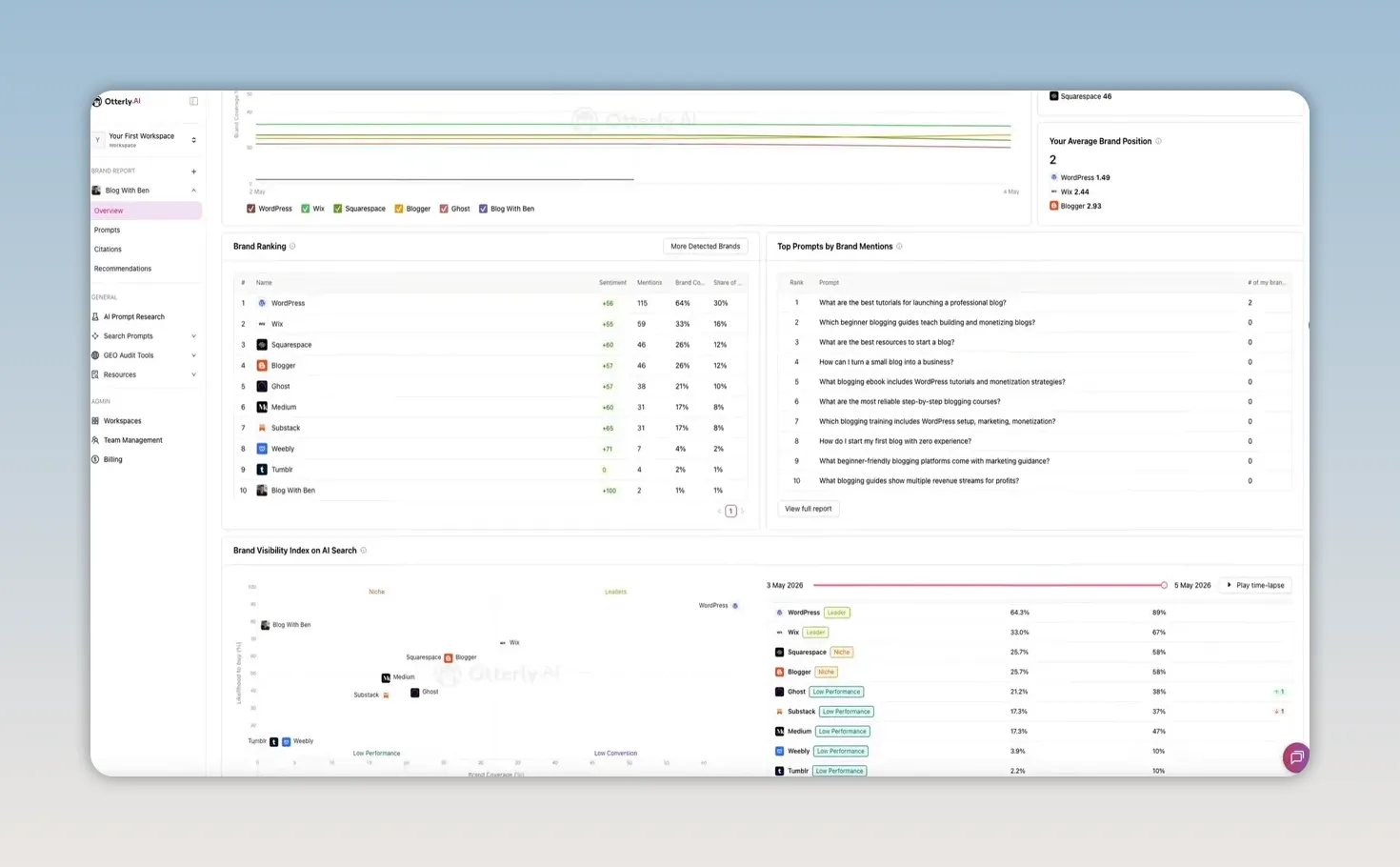
What Otterly.AI Actually Tracks
Otterly.AI is an AI search monitoring platform. It tracks brand performance across engines like:
- ChatGPT
- Perplexity
- Gemini
- Google AI Overviews
- Copilot
From there, it helps answer a few really important questions:
- How often is your brand being mentioned in AI-generated answers?
- How do you compare to competitors?
- Where does your brand usually appear in the response?
- What sentiment surrounds those mentions?
- Which prompts trigger mentions for your brand or your competitors?
- Which pages and domains are AI engines citing?
- Can AI crawlers even access your site in the first place?
That combination makes Otterly more than a reporting tool. It is a practical visibility platform for AI search.
Getting Started With the Otterly.AI Onboarding
The setup process is straightforward.
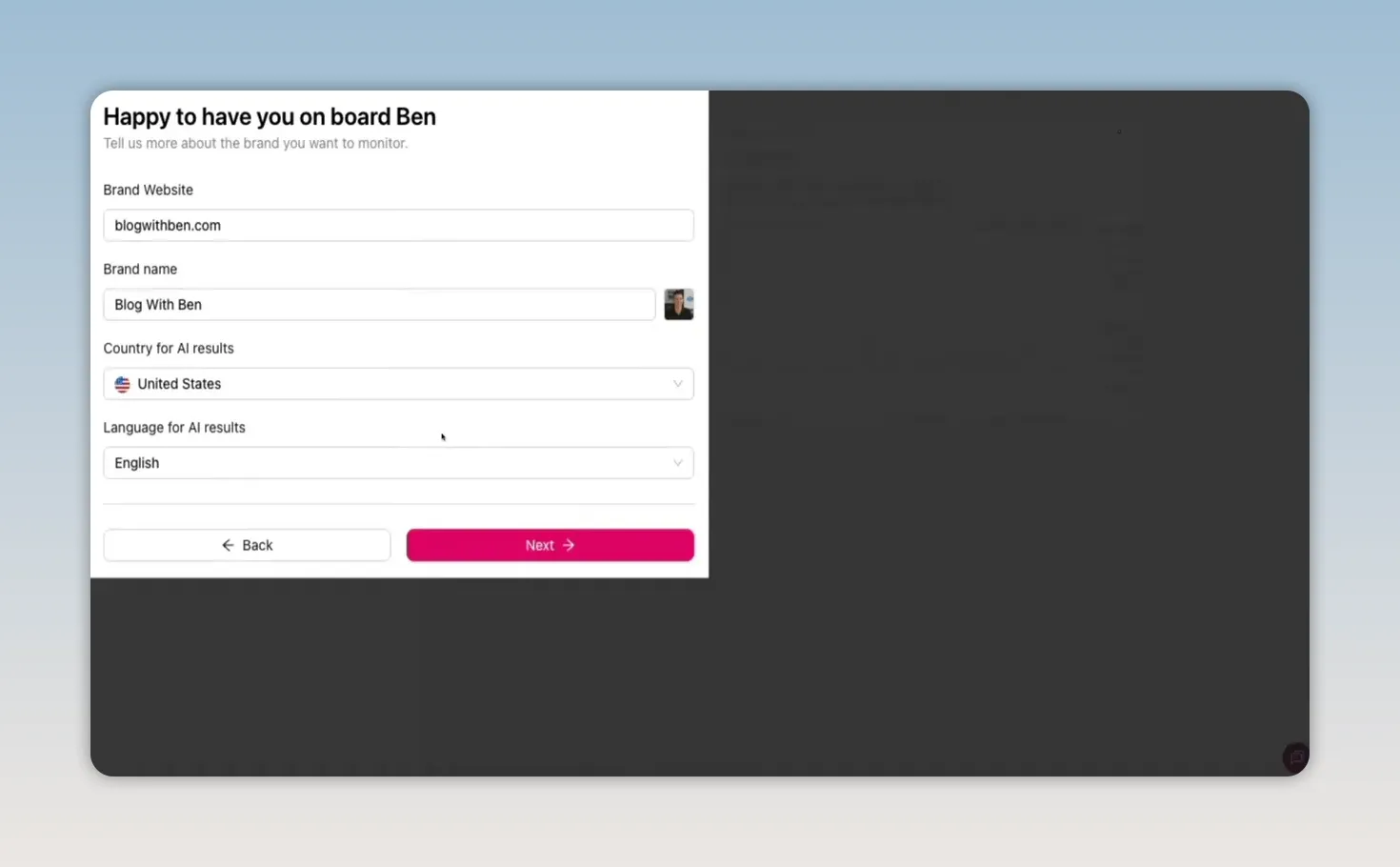
When you first sign up, you enter your:
- Website URL
- Brand name
- Country
- Language
Once that is submitted, Otterly analyzes your niche and automatically identifies the brands already appearing in AI search results around your category.
For a blogging-related site, that can surface competitors like WordPress, Wix, Squarespace, Medium, and Blogger. In other words, it is not just making random guesses. It is looking at who is already being recommended by AI engines.
You can edit the competitor list if anything looks off, then move on to prompt generation.
Prompt Generation During Setup
After competitor discovery, Otterly generates a starting list of prompts to monitor.
These are not old-school keyword fragments. They are the kinds of real conversational prompts people type into AI tools.
For example, instead of targeting something broad like “blog tutorial,” you are monitoring actual questions AI users ask in natural language. Otterly recommends at least 15 prompts to start with, and you can add more later.
That matters because AI search behavior is different from traditional search. People are asking complete questions, comparing options, and seeking recommendations in plain English. If you want to measure visibility accurately, you need to track the language people are actually using.
The Brand Report Dashboard
Once onboarding is done, Otterly starts building your report by querying real AI engines in real time. When the report is ready, the dashboard gives you a detailed look at how your brand is performing.
Brand Coverage Over Time
The first major chart is Brand Coverage Over Time.
This shows how often your brand appears in AI-generated answers compared to competitors over the last 14 days. You can hover over each point for a daily breakdown, and you can filter by:
- Date range
- Prompt tags
- Specific AI engine
- Country
That makes it easy to compare how your brand performs in ChatGPT versus Perplexity, or how visibility differs by market.
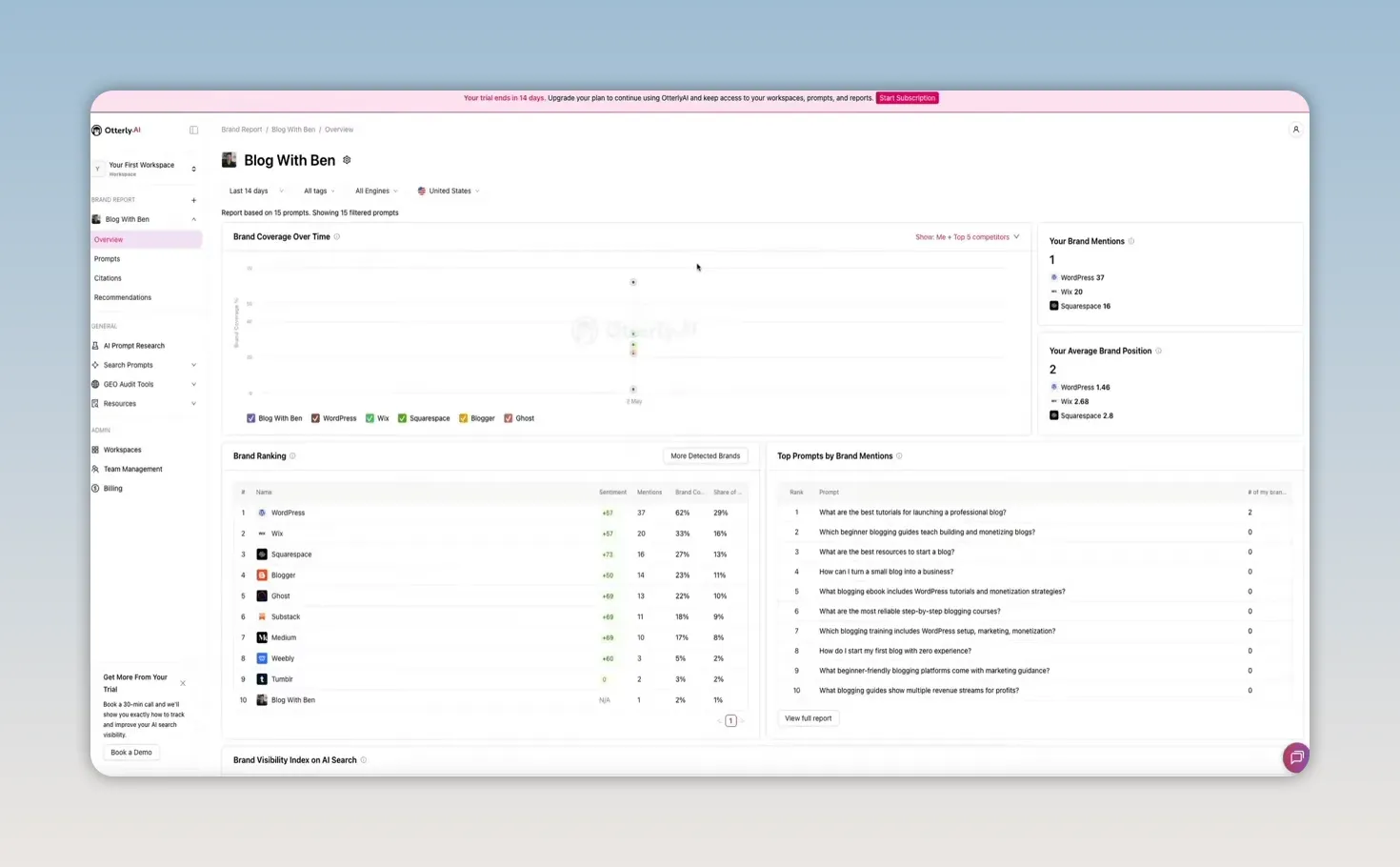
Brand Mentions and Average Brand Position
Near the top of the dashboard, Otterly also shows:
- Brand mentions
- Average brand position
Average brand position tells you where your brand tends to appear inside AI responses. Position one means your brand is mentioned first, which is obviously the strongest placement.
This is one of those metrics that quickly shows whether you are merely present or actually prominent.
Brand Ranking Table
Below that is the Brand Ranking section, which acts like a competitive snapshot.
For each brand, Otterly shows four core metrics:
- Sentiment
- Mentions
- Share of voice
- Brand coverage
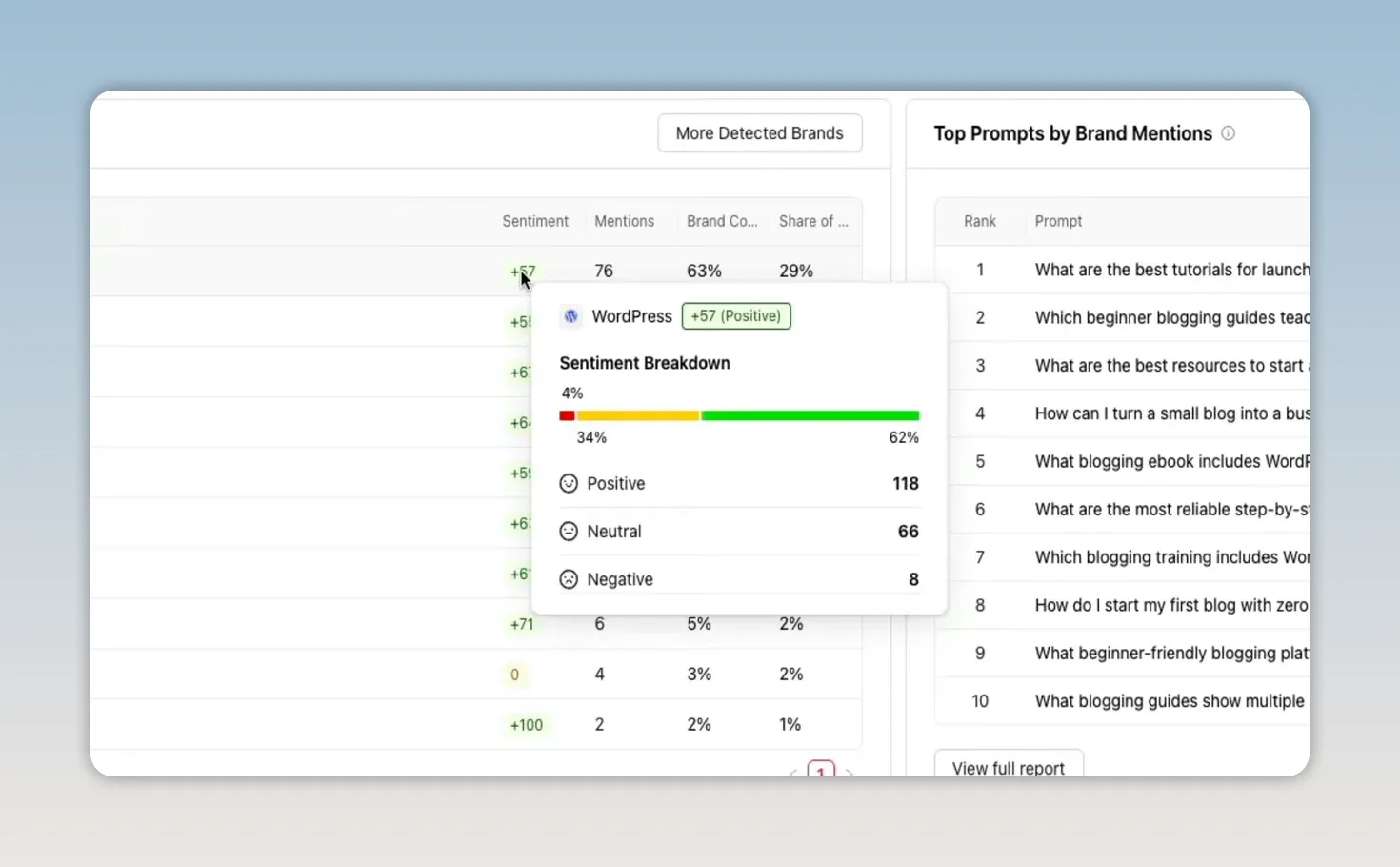
The sentiment metric is especially useful because it is not just one flat score. You can hover over it and see the mix of positive, neutral, and negative mentions.
That nuance matters.
Two brands might have similar raw sentiment scores, but one could be mostly positive with a few neutral mentions, while another could be balanced across positive, neutral, and negative. Those are not the same brand perception outcomes, and Otterly makes that visible.
Top Prompts by Brand Mentions
One of the most useful sections in the dashboard is Top Prompts by Brand Mentions.
These are the actual prompts where your brand is appearing in AI-generated answers. This is where the data starts becoming incredibly actionable, because you are no longer dealing with abstract rankings. You are seeing the questions that generate visibility.
This tells you:
- Where real AI search activity is happening
- Which topics you are already associated with
- Where competitors are showing up more than you
- Which queries may deserve dedicated content or optimization
If you click View Report, you get a full prompt table with filters for engine, country, and date range.
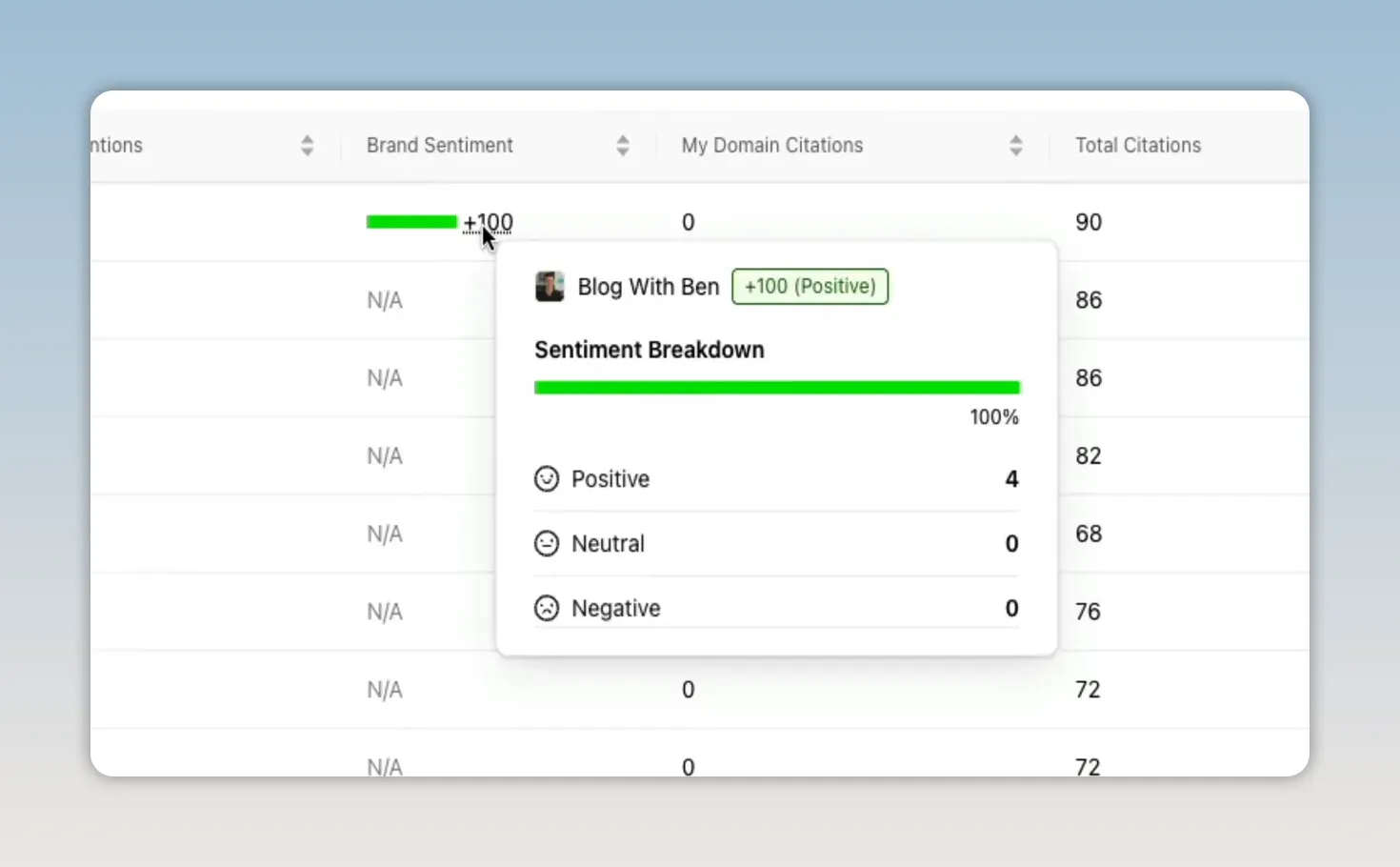
Each prompt also has a sentiment indicator. Hovering over it reveals the full positive, neutral, and negative breakdown.
For example, on the prompt “What are the best tutorials for launching a professional blog?” the brand in the walkthrough had a perfect positive sentiment score. That means every AI mention tied to that query was favorable.
That is a strong signal. It tells you not just that AI is mentioning your brand, but that it is framing your brand positively in a context closely tied to action and intent.
Prompt Details and Real AI Responses
Clicking on any prompt opens a deeper detail panel.
Inside that panel, you can see:
- Brand coverage over time for that specific prompt
- How each competing brand performed on that query
- A distribution of the kinds of domains AI is using as sources
Then there is the Responses tab, which is where Otterly gets especially interesting.
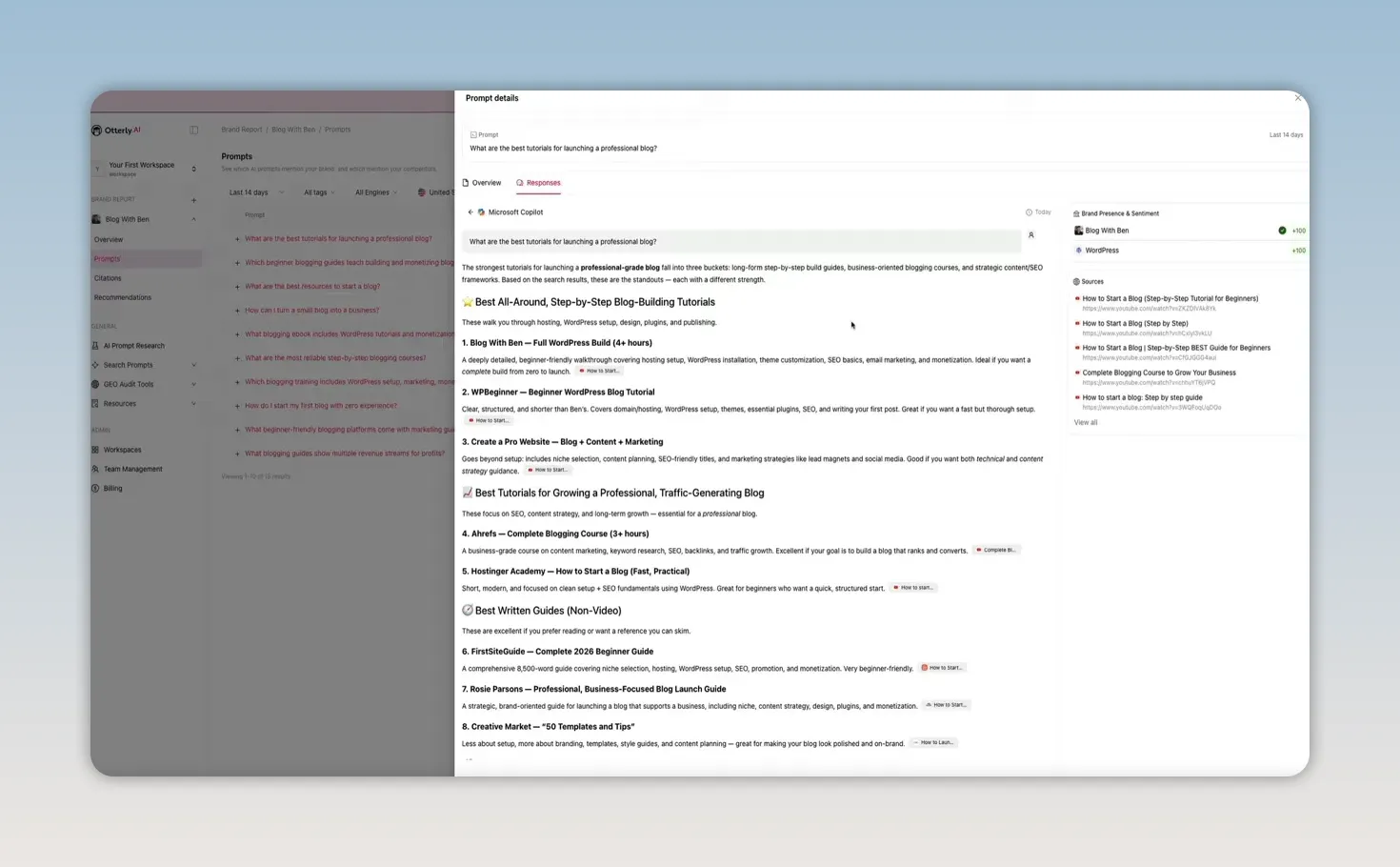
This section shows the actual AI-generated answers from each engine, word for word.
So instead of guessing how AI is describing your brand, you can see the exact phrasing. In the example walkthrough, Microsoft Copilot listed the brand first for a query about blog-building tutorials and described it as a detailed, beginner-friendly resource covering hosting setup, WordPress installation, theme customization, and more.
That is the kind of insight that changes how you think about AI search. This is not an estimate. It is the exact language an AI engine is using to present your brand to potential customers or readers.
Brand Visibility Index: Coverage vs. Buying Intent
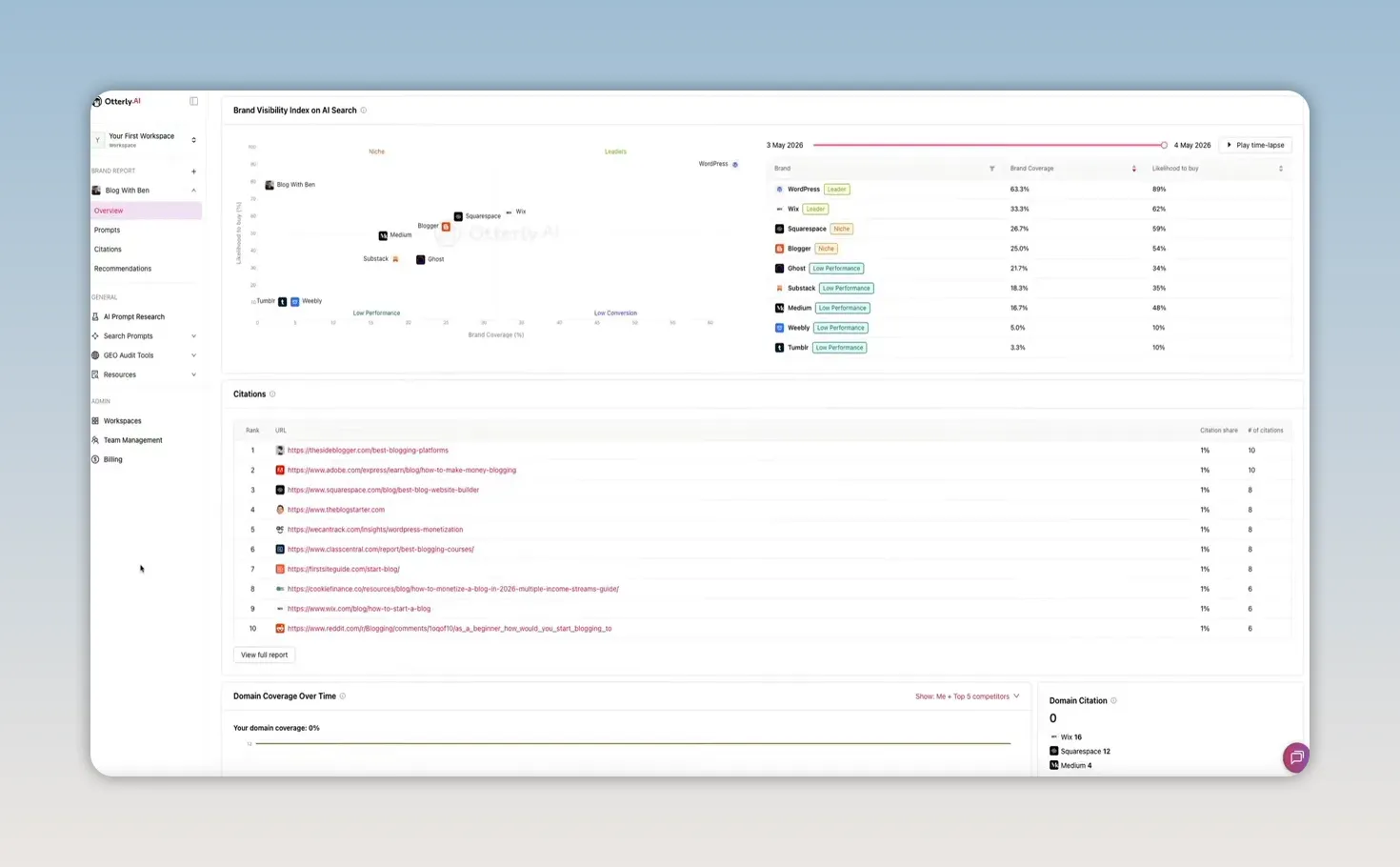
Next on the dashboard is the Brand Visibility Index, a scatter plot that maps brands across two dimensions:
- Brand coverage on the horizontal axis
- Likelihood to buy on the vertical axis
This places each brand into one of four quadrants:
- Leaders in the upper right
- Niche in the upper left
- Low conversion in the lower right
- Low performance in the lower left
Hovering over a brand shows a quick data card with its metrics.
This chart is useful because it separates visibility from intent. A brand can appear often without being tied to strong buying behavior. Another brand might appear less frequently but show up mostly in contexts where someone is close to taking action.
That second scenario is especially valuable for educational brands, niche businesses, and content-driven websites. If your visibility is lower but your likelihood to buy is high, that tells you your mentions may be more commercially meaningful than they first appear.
Otterly also includes a time-lapse view so you can watch brands move between quadrants over time as momentum changes.
Citations: Which Sources AI Actually Trusts
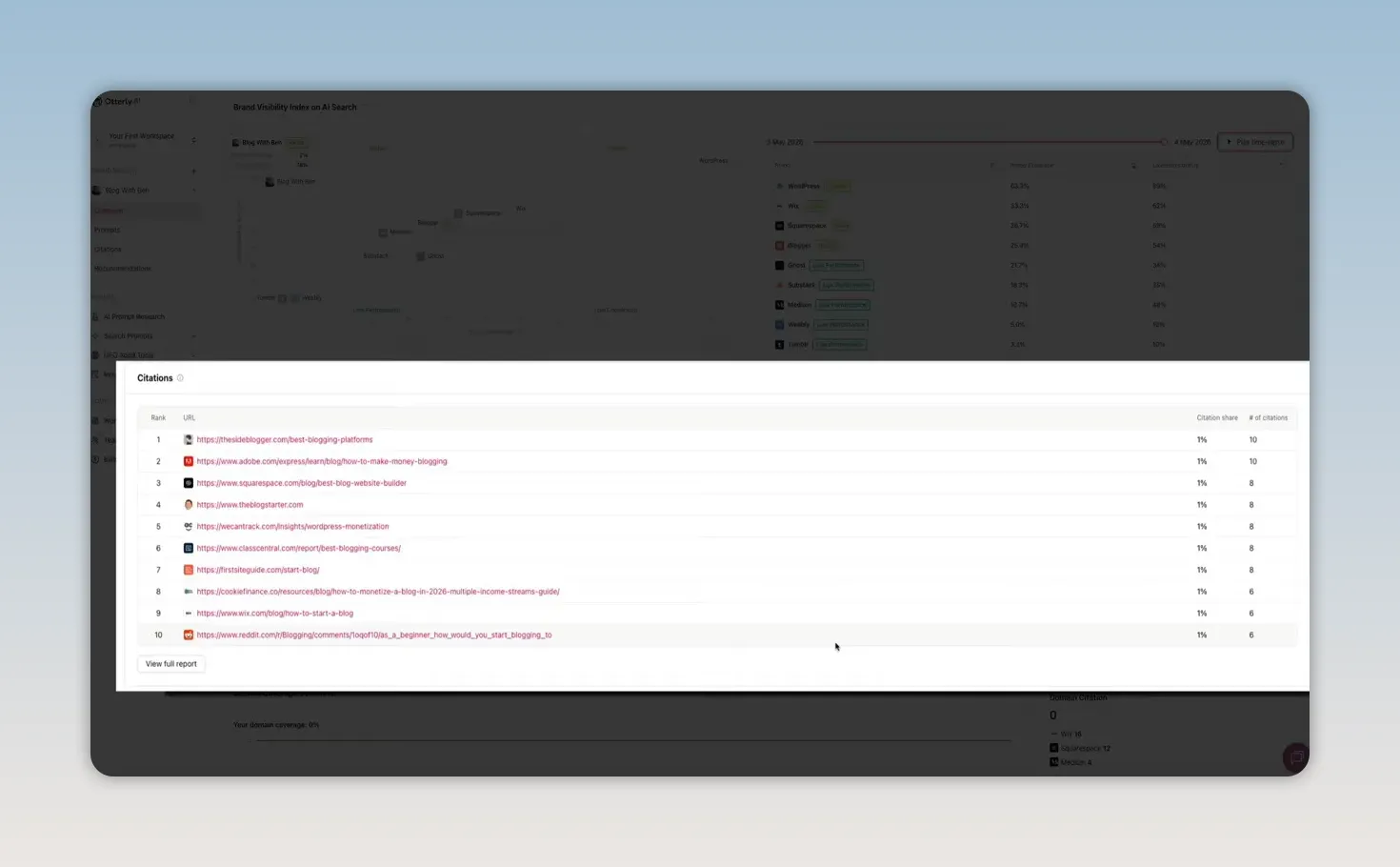
The Citations section shows which URLs AI engines are pulling from when generating answers for your tracked prompts.
This is one of the most important reports in the whole platform.
It reveals:
- Which websites AI trusts in your niche
- Which competitor pages are consistently being cited
- Whether your own site is being used as a source
- Where the biggest citation gaps are
If your site is absent from the list, that is a clear opportunity. If a competitor dominates the citations, that is a signal you need to pay attention to.
Clicking the full report expands this into a much richer dataset. You can see every cited URL, the page title, the root domain, the domain category, total citation count, and which brand names were mentioned in the response.
You can also expand individual rows to see exactly:
- Which monitored prompts triggered the citation
- Which AI engine served it
That is what turns citation data into strategy. You are not just learning that a source is important. You are learning where it matters and why.
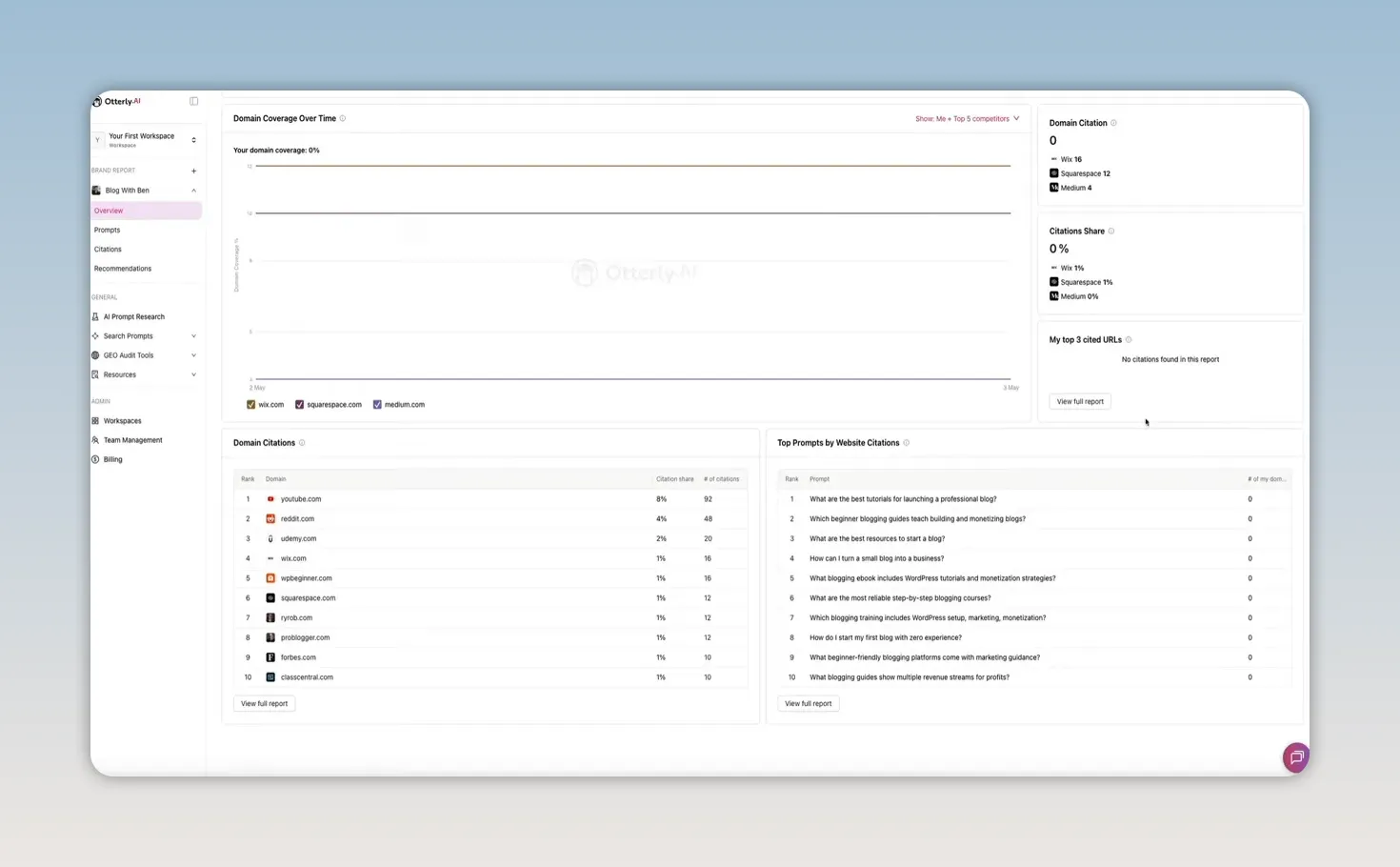
Domain Coverage Over Time and Domain Citations
Otterly also tracks how often your own website URLs are cited by AI engines over time.
The Domain Coverage Over Time chart shows how frequently your site is being used as a source across your monitored prompts. If that chart is flat or weak, that tells you AI is not citing your site as often as it could be.
That kind of gap is easy to miss if you are only focused on publishing more content and assuming AI will naturally pick it up.
Domain Citations Table
Below the chart is a table ranking the root domains that are being cited most often.
This can reveal important patterns in your niche.
- If YouTube ranks high, AI may be surfacing video-heavy content.
- If Reddit ranks high, community-driven discussion may carry significant weight.
- If blogs or branded websites dominate, AI may be leaning more heavily on published articles and official resources.
The full report also includes a domain category distribution chart, which helps you understand the broader source mix. In the walkthrough example, branded content made up the largest share of citations, followed by blogs and personal sites, with education, news, competitor, and community content rounding out the rest.
That sort of distribution can shape your content strategy. It tells you what kinds of sources AI prefers when answering questions in your category.
Top Prompts by Website Citations
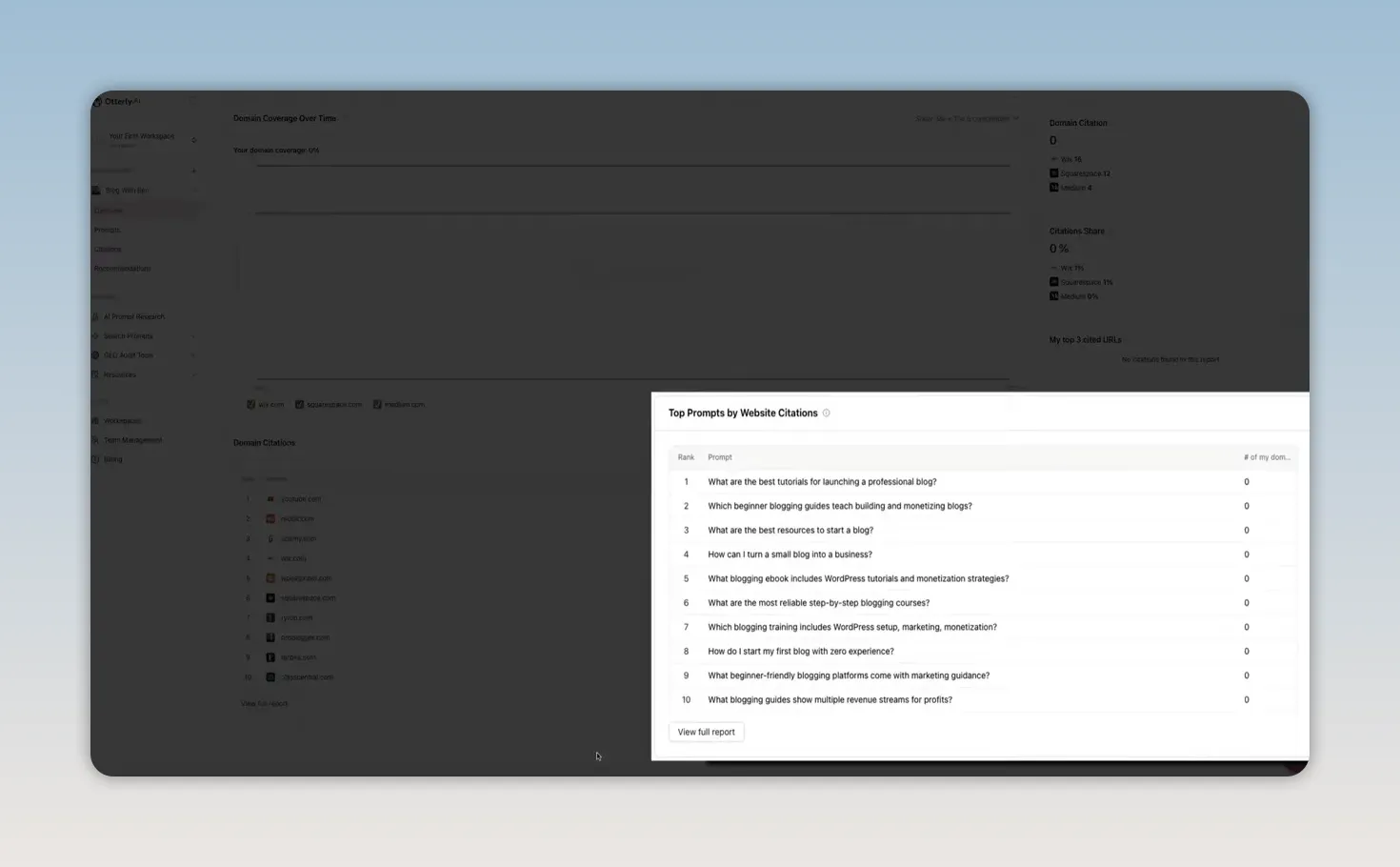
Another helpful section is Top Prompts by Website Citations.
This shows which monitored prompts are generating citations to your own domain URLs.
Even if you are not seeing strong data there yet, the purpose of the report is clear: once enough data accumulates, it tells you exactly which questions are driving AI citations to your site.
That is powerful because it moves content strategy from general publishing to focused targeting.
Instead of asking, “What should I write next?” you can ask, “Which prompts are already creating citation opportunities, and how can I create the best possible answer for them?”
AI Prompt Research: Finding the Right Questions to Track
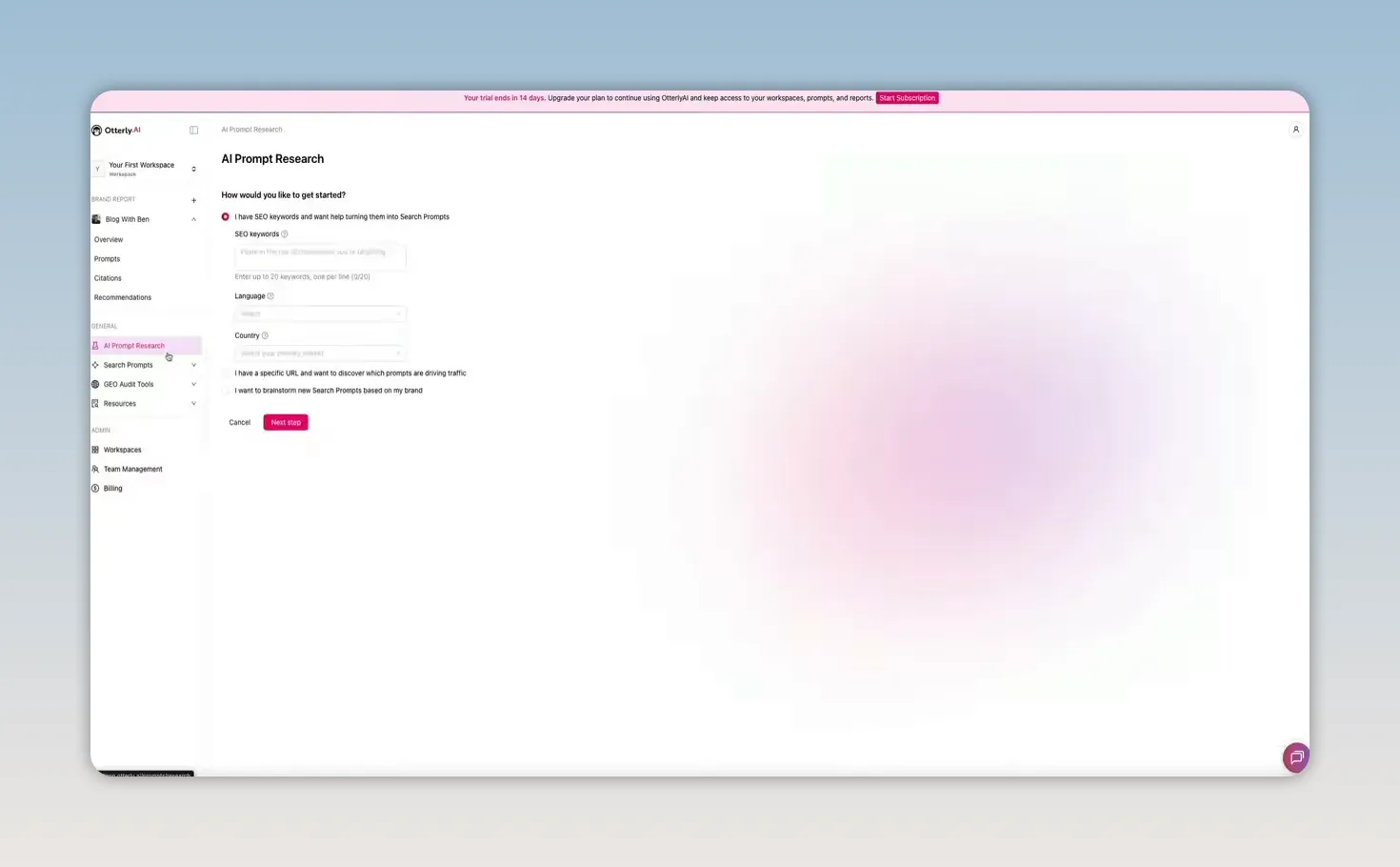
Outside the dashboard overview, one of the most useful tools in the sidebar is AI Prompt Research.
This helps you find the right prompts to monitor in the first place, and it offers three ways to do it.
1. Convert Existing SEO Keywords Into AI Prompts
You can paste in your current SEO keywords, and Otterly will convert them into conversational AI-style prompts.
That is useful if you already have an SEO strategy and want to extend it into AI search. Instead of tracking a phrase like “AI website builder,” you get natural-language prompts built around that topic.
2. Paste a URL to Discover Prompt Opportunities
You can also paste in a specific URL and let Otterly identify prompts that are driving traffic to that page.
This is helpful for reverse engineering what is already working so you can monitor and expand on it.
3. Brainstorm New Prompts Based on Your Brand
If you are starting from scratch, you can have Otterly generate new prompt ideas based on your brand itself.
Each suggested prompt comes with a relevance score from 0 to 10, so you can quickly gauge how closely it aligns with your business.
Any prompts you select can be added directly to your monitoring list.
The Master Prompt Library
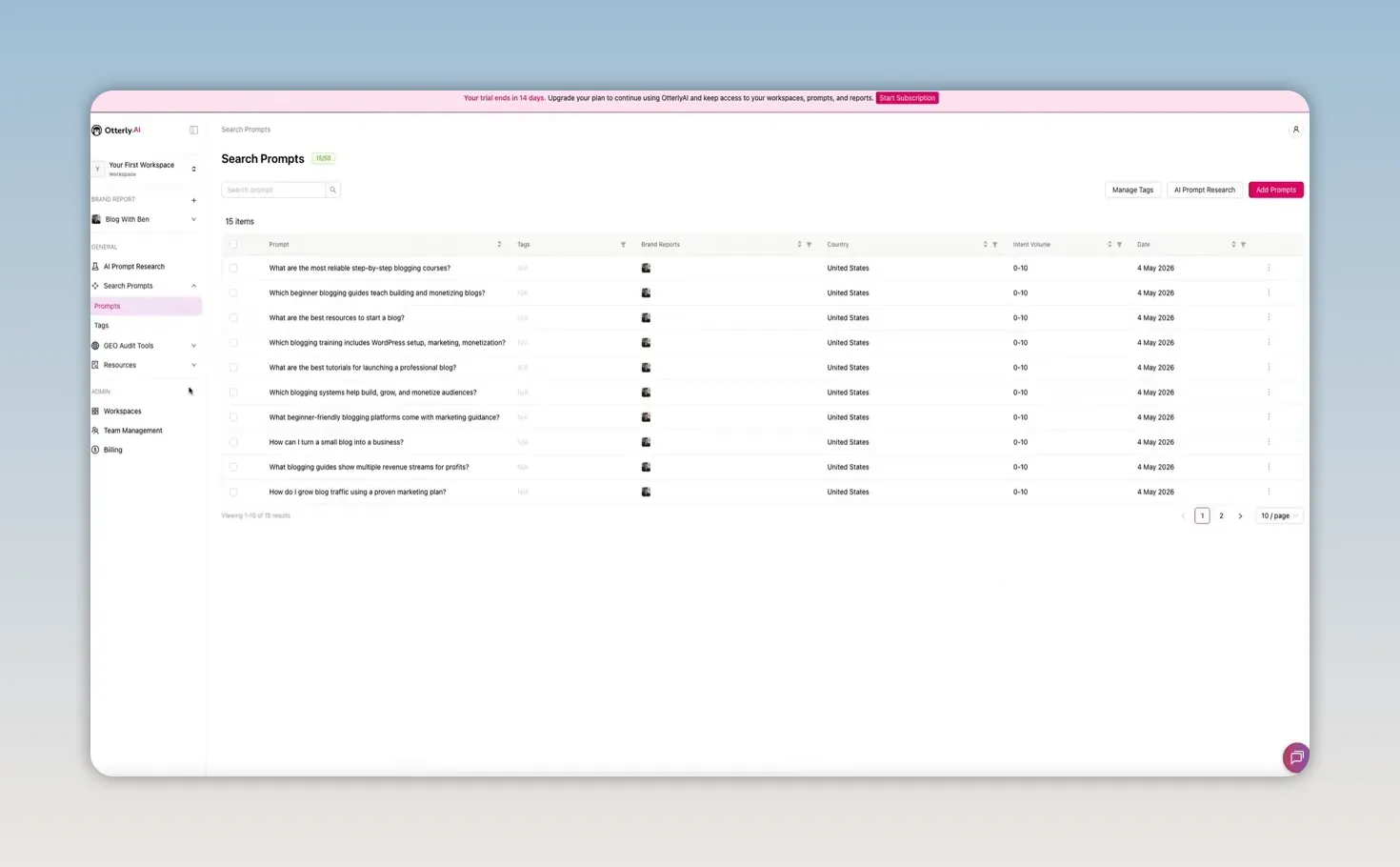
Under the Search Prompts section, Otterly includes a Prompts page that acts as your master prompt library.
This is where all live monitored prompts are organized along with details such as:
- Tags
- Associated brand reports
- Country
- Prompt volume
- Date added
You can manage tags, add prompts manually, and start new AI prompt research sessions from here.
It is essentially the control panel for what Otterly is actively tracking on your behalf.
GEO Audit Tools: Can AI Access and Use Your Content?
Otterly also includes two GEO audit tools that deal with a question many site owners have never thought to ask:
Can AI engines actually crawl and understand my website?
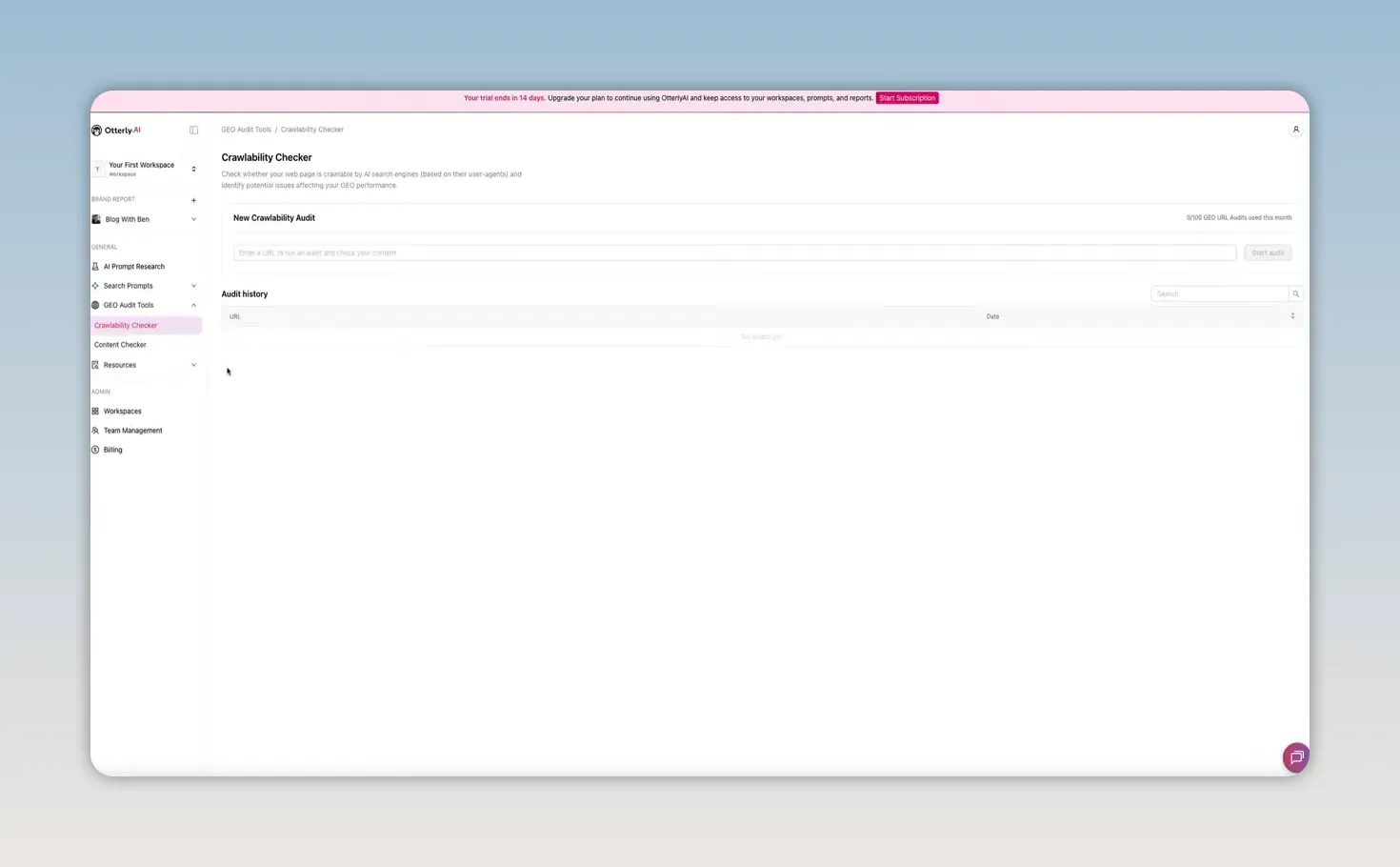
Crawlability Checker
The Crawlability Checker lets you paste in any URL and run an audit.
It checks two things:
- Server access
- robots.txt permissions
The server access check verifies that major AI crawlers can physically reach the page. Otterly tests against major user agents such as:
- GPTBot
- ChatGPT-User
- ClaudeBot
- PerplexityBot
- GoogleOther
The robots.txt check verifies that your site configuration is not blocking those crawlers.
If a crawler is blocked, it does not matter how good your content is. AI engines may not be able to crawl or index it properly.
Content Checker
The second GEO audit tool is the Content Checker.
This is designed to evaluate whether your content is actually ready to be cited by AI once crawlers reach it.
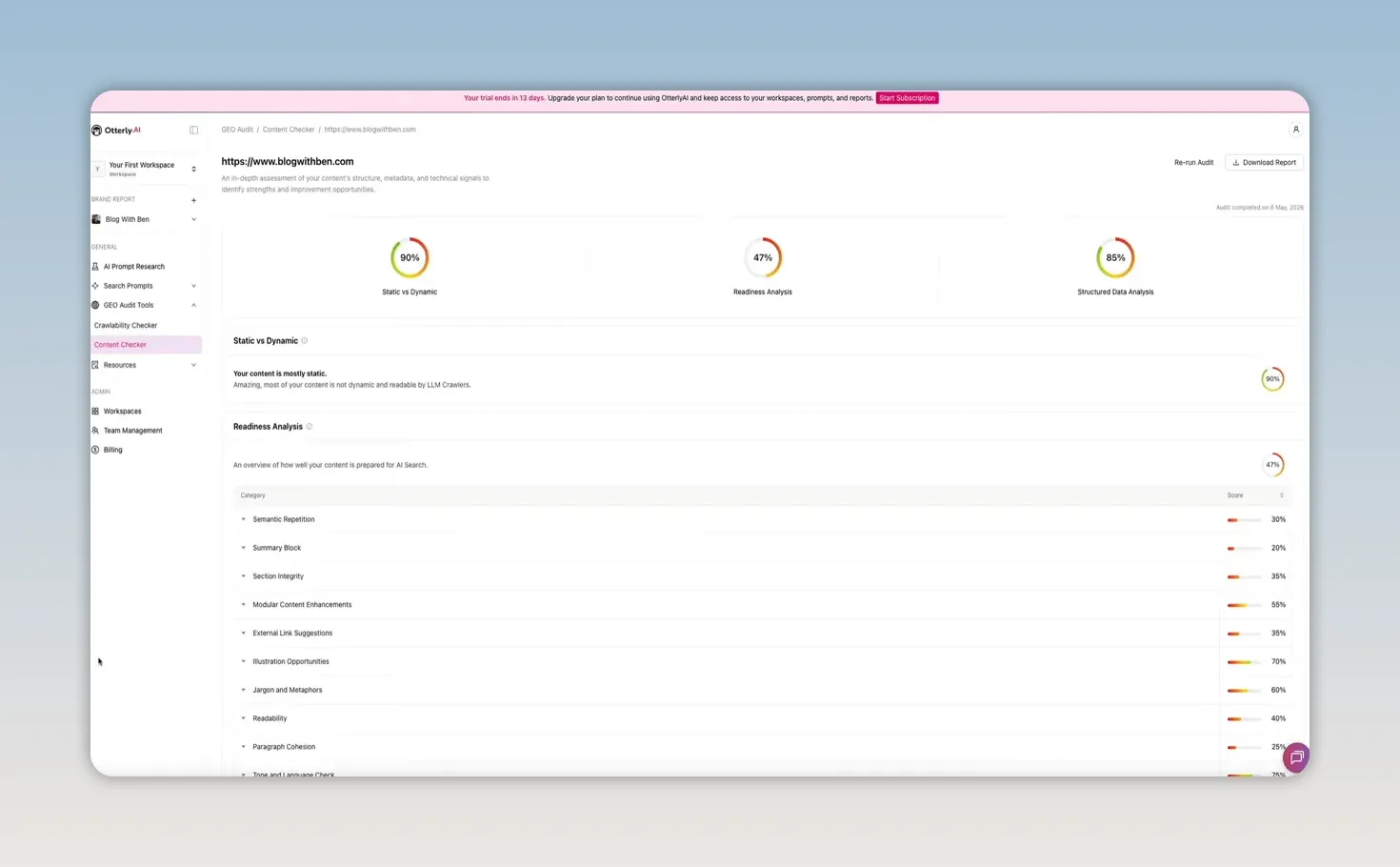
You paste in a URL, start the audit, and Otterly returns a report across three main scored categories:
- Static vs. dynamic score
- Readiness analysis score
- Structured data analysis score
You can then scroll through a breakdown of the categories and expand individual items to see exactly what is contributing to the score. In the example audit, metadata scored especially well, while the readiness analysis left more room for improvement.
That is the real value of this tool. It does not just tell you whether your page is “good” or “bad.” It shows where your content is strong and where it needs work from an AI visibility perspective.
And unlike a generic SEO audit, these recommendations are aimed specifically at improving performance in AI-generated answers.
Other Useful Resources Inside Otterly
Beyond the main monitoring and audit tools, Otterly also includes a few extra resources worth knowing about:
- Help Center with documentation and tutorials
- Free GEO tools that can be used outside the main platform
- AI search traffic connector for Google Analytics 4 to help track traffic coming from AI search engines
- GEO agency partner program for those offering AI search optimization as a service
Those extras make the platform more useful whether you are working on your own site or helping clients improve AI search visibility.
Why This Matters
The big takeaway is simple.
AI search is already affecting your brand whether you are paying attention to it or not.
People are asking AI engines for recommendations, comparisons, tutorials, product suggestions, and trusted sources. If your brand should be part of those answers, you need a way to see whether that is actually happening.
Otterly.AI gives you that visibility.
It shows:
- Which prompts matter in your niche
- Where your brand is showing up
- How competitors are outperforming you
- Which sources AI trusts
- Whether your site can be crawled by AI bots
- What to fix to improve AI visibility
That is what makes it useful. It turns AI search from a black box into something measurable.
Final Thoughts on Otterly.AI
If you care about SEO, brand discoverability, or the future of search, GEO is no longer something to file away for later.
Otterly.AI gives you a practical way to start paying attention now.
The platform is useful not only because it tells you where you stand, but because it gives you enough detail to take action. You can identify winning prompts, study the exact wording AI uses to describe your brand, spot citation gaps, and audit whether your content is technically and structurally ready for AI engines.
And honestly, even just going through the onboarding and seeing your own data for the first time can be eye-opening.
If your brand depends on being discovered online, knowing what AI is saying about you is quickly becoming as important as knowing where you rank in traditional search.
If you run a blog, a website, or any kind of online brand, there is a question you need to be able to answer right now:
When someone asks ChatGPT, Perplexity, Gemini, Google AI Overviews, or Copilot a question your brand should be the answer to, are you showing up?
And if you are showing up, what exactly is AI saying about you?
That is the problem Otterly.AI is built to solve.
This platform is focused on GEO, or Generative Engine Optimization. In plain English, that means helping you understand and improve how your brand appears across AI search engines. Instead of guessing whether AI is recommending your content, your business, or your competitors, Otterly gives you real data.
It tracks your brand across major AI engines in one place, shows you your mentions, surfaces your competitors, reveals which sources AI cites in your niche, and gives you practical ways to improve your visibility.
If AI search is already influencing how people discover brands, and it clearly is, then this kind of insight is becoming hard to ignore.
What Otterly.AI Actually Tracks
Otterly.AI is an AI search monitoring platform. It tracks brand performance across engines like:
- ChatGPT
- Perplexity
- Gemini
- Google AI Overviews
- Copilot
From there, it helps answer a few really important questions:
- How often is your brand being mentioned in AI-generated answers?
- How do you compare to competitors?
- Where does your brand usually appear in the response?
- What sentiment surrounds those mentions?
- Which prompts trigger mentions for your brand or your competitors?
- Which pages and domains are AI engines citing?
- Can AI crawlers even access your site in the first place?
That combination makes Otterly more than a reporting tool. It is a practical visibility platform for AI search.
Getting Started With the Otterly.AI Onboarding
The setup process is straightforward.
When you first sign up, you enter your:
- Website URL
- Brand name
- Country
- Language
Once that is submitted, Otterly analyzes your niche and automatically identifies the brands already appearing in AI search results around your category.
For a blogging-related site, that can surface competitors like WordPress, Wix, Squarespace, Medium, and Blogger. In other words, it is not just making random guesses. It is looking at who is already being recommended by AI engines.
You can edit the competitor list if anything looks off, then move on to prompt generation.
Prompt Generation During Setup
After competitor discovery, Otterly generates a starting list of prompts to monitor.
These are not old-school keyword fragments. They are the kinds of real conversational prompts people type into AI tools.
For example, instead of targeting something broad like “blog tutorial,” you are monitoring actual questions AI users ask in natural language. Otterly recommends at least 15 prompts to start with, and you can add more later.
That matters because AI search behavior is different from traditional search. People are asking complete questions, comparing options, and seeking recommendations in plain English. If you want to measure visibility accurately, you need to track the language people are actually using.
The Brand Report Dashboard
Once onboarding is done, Otterly starts building your report by querying real AI engines in real time. When the report is ready, the dashboard gives you a detailed look at how your brand is performing.
Brand Coverage Over Time
The first major chart is Brand Coverage Over Time.
This shows how often your brand appears in AI-generated answers compared to competitors over the last 14 days. You can hover over each point for a daily breakdown, and you can filter by:
- Date range
- Prompt tags
- Specific AI engine
- Country
That makes it easy to compare how your brand performs in ChatGPT versus Perplexity, or how visibility differs by market.
Brand Mentions and Average Brand Position
Near the top of the dashboard, Otterly also shows:
- Brand mentions
- Average brand position
Average brand position tells you where your brand tends to appear inside AI responses. Position one means your brand is mentioned first, which is obviously the strongest placement.
This is one of those metrics that quickly shows whether you are merely present or actually prominent.
Brand Ranking Table
Below that is the Brand Ranking section, which acts like a competitive snapshot.
For each brand, Otterly shows four core metrics:
- Sentiment
- Mentions
- Share of voice
- Brand coverage
The sentiment metric is especially useful because it is not just one flat score. You can hover over it and see the mix of positive, neutral, and negative mentions.
That nuance matters.
Two brands might have similar raw sentiment scores, but one could be mostly positive with a few neutral mentions, while another could be balanced across positive, neutral, and negative. Those are not the same brand perception outcomes, and Otterly makes that visible.
Top Prompts by Brand Mentions
One of the most useful sections in the dashboard is Top Prompts by Brand Mentions.
These are the actual prompts where your brand is appearing in AI-generated answers. This is where the data starts becoming incredibly actionable, because you are no longer dealing with abstract rankings. You are seeing the questions that generate visibility.
This tells you:
- Where real AI search activity is happening
- Which topics you are already associated with
- Where competitors are showing up more than you
- Which queries may deserve dedicated content or optimization
If you click View Report, you get a full prompt table with filters for engine, country, and date range.
Each prompt also has a sentiment indicator. Hovering over it reveals the full positive, neutral, and negative breakdown.
For example, on the prompt “What are the best tutorials for launching a professional blog?” the brand in the walkthrough had a perfect positive sentiment score. That means every AI mention tied to that query was favorable.
That is a strong signal. It tells you not just that AI is mentioning your brand, but that it is framing your brand positively in a context closely tied to action and intent.
Prompt Details and Real AI Responses
Clicking on any prompt opens a deeper detail panel.
Inside that panel, you can see:
- Brand coverage over time for that specific prompt
- How each competing brand performed on that query
- A distribution of the kinds of domains AI is using as sources
Then there is the Responses tab, which is where Otterly gets especially interesting.
This section shows the actual AI-generated answers from each engine, word for word.
So instead of guessing how AI is describing your brand, you can see the exact phrasing. In the example walkthrough, Microsoft Copilot listed the brand first for a query about blog-building tutorials and described it as a detailed, beginner-friendly resource covering hosting setup, WordPress installation, theme customization, and more.
That is the kind of insight that changes how you think about AI search. This is not an estimate. It is the exact language an AI engine is using to present your brand to potential customers or readers.
Brand Visibility Index: Coverage vs. Buying Intent
Next on the dashboard is the Brand Visibility Index, a scatter plot that maps brands across two dimensions:
- Brand coverage on the horizontal axis
- Likelihood to buy on the vertical axis
This places each brand into one of four quadrants:
- Leaders in the upper right
- Niche in the upper left
- Low conversion in the lower right
- Low performance in the lower left
Hovering over a brand shows a quick data card with its metrics.
This chart is useful because it separates visibility from intent. A brand can appear often without being tied to strong buying behavior. Another brand might appear less frequently but show up mostly in contexts where someone is close to taking action.
That second scenario is especially valuable for educational brands, niche businesses, and content-driven websites. If your visibility is lower but your likelihood to buy is high, that tells you your mentions may be more commercially meaningful than they first appear.
Otterly also includes a time-lapse view so you can watch brands move between quadrants over time as momentum changes.
Citations: Which Sources AI Actually Trusts
The Citations section shows which URLs AI engines are pulling from when generating answers for your tracked prompts.
This is one of the most important reports in the whole platform.
It reveals:
- Which websites AI trusts in your niche
- Which competitor pages are consistently being cited
- Whether your own site is being used as a source
- Where the biggest citation gaps are
If your site is absent from the list, that is a clear opportunity. If a competitor dominates the citations, that is a signal you need to pay attention to.
Clicking the full report expands this into a much richer dataset. You can see every cited URL, the page title, the root domain, the domain category, total citation count, and which brand names were mentioned in the response.
You can also expand individual rows to see exactly:
- Which monitored prompts triggered the citation
- Which AI engine served it
That is what turns citation data into strategy. You are not just learning that a source is important. You are learning where it matters and why.
Domain Coverage Over Time and Domain Citations
Otterly also tracks how often your own website URLs are cited by AI engines over time.
The Domain Coverage Over Time chart shows how frequently your site is being used as a source across your monitored prompts. If that chart is flat or weak, that tells you AI is not citing your site as often as it could be.
That kind of gap is easy to miss if you are only focused on publishing more content and assuming AI will naturally pick it up.
Domain Citations Table
Below the chart is a table ranking the root domains that are being cited most often.
This can reveal important patterns in your niche.
- If YouTube ranks high, AI may be surfacing video-heavy content.
- If Reddit ranks high, community-driven discussion may carry significant weight.
- If blogs or branded websites dominate, AI may be leaning more heavily on published articles and official resources.
The full report also includes a domain category distribution chart, which helps you understand the broader source mix. In the walkthrough example, branded content made up the largest share of citations, followed by blogs and personal sites, with education, news, competitor, and community content rounding out the rest.
That sort of distribution can shape your content strategy. It tells you what kinds of sources AI prefers when answering questions in your category.
Top Prompts by Website Citations
Another helpful section is Top Prompts by Website Citations.
This shows which monitored prompts are generating citations to your own domain URLs.
Even if you are not seeing strong data there yet, the purpose of the report is clear: once enough data accumulates, it tells you exactly which questions are driving AI citations to your site.
That is powerful because it moves content strategy from general publishing to focused targeting.
Instead of asking, “What should I write next?” you can ask, “Which prompts are already creating citation opportunities, and how can I create the best possible answer for them?”
AI Prompt Research: Finding the Right Questions to Track
Outside the dashboard overview, one of the most useful tools in the sidebar is AI Prompt Research.
This helps you find the right prompts to monitor in the first place, and it offers three ways to do it.
1. Convert Existing SEO Keywords Into AI Prompts
You can paste in your current SEO keywords, and Otterly will convert them into conversational AI-style prompts.
That is useful if you already have an SEO strategy and want to extend it into AI search. Instead of tracking a phrase like “AI website builder,” you get natural-language prompts built around that topic.
2. Paste a URL to Discover Prompt Opportunities
You can also paste in a specific URL and let Otterly identify prompts that are driving traffic to that page.
This is helpful for reverse engineering what is already working so you can monitor and expand on it.
3. Brainstorm New Prompts Based on Your Brand
If you are starting from scratch, you can have Otterly generate new prompt ideas based on your brand itself.
Each suggested prompt comes with a relevance score from 0 to 10, so you can quickly gauge how closely it aligns with your business.
Any prompts you select can be added directly to your monitoring list.
The Master Prompt Library
Under the Search Prompts section, Otterly includes a Prompts page that acts as your master prompt library.
This is where all live monitored prompts are organized along with details such as:
- Tags
- Associated brand reports
- Country
- Prompt volume
- Date added
You can manage tags, add prompts manually, and start new AI prompt research sessions from here.
It is essentially the control panel for what Otterly is actively tracking on your behalf.
GEO Audit Tools: Can AI Access and Use Your Content?
Otterly also includes two GEO audit tools that deal with a question many site owners have never thought to ask:
Can AI engines actually crawl and understand my website?
Crawlability Checker
The Crawlability Checker lets you paste in any URL and run an audit.
It checks two things:
- Server access
- robots.txt permissions
The server access check verifies that major AI crawlers can physically reach the page. Otterly tests against major user agents such as:
- GPTBot
- ChatGPT-User
- ClaudeBot
- PerplexityBot
- GoogleOther
The robots.txt check verifies that your site configuration is not blocking those crawlers.
If a crawler is blocked, it does not matter how good your content is. AI engines may not be able to crawl or index it properly.
Content Checker
The second GEO audit tool is the Content Checker.
This is designed to evaluate whether your content is actually ready to be cited by AI once crawlers reach it.
You paste in a URL, start the audit, and Otterly returns a report across three main scored categories:
- Static vs. dynamic score
- Readiness analysis score
- Structured data analysis score
You can then scroll through a breakdown of the categories and expand individual items to see exactly what is contributing to the score. In the example audit, metadata scored especially well, while the readiness analysis left more room for improvement.
That is the real value of this tool. It does not just tell you whether your page is “good” or “bad.” It shows where your content is strong and where it needs work from an AI visibility perspective.
And unlike a generic SEO audit, these recommendations are aimed specifically at improving performance in AI-generated answers.
Other Useful Resources Inside Otterly
Beyond the main monitoring and audit tools, Otterly also includes a few extra resources worth knowing about:
- Help Center with documentation and tutorials
- Free GEO tools that can be used outside the main platform
- AI search traffic connector for Google Analytics 4 to help track traffic coming from AI search engines
- GEO agency partner program for those offering AI search optimization as a service
Those extras make the platform more useful whether you are working on your own site or helping clients improve AI search visibility.
Why This Matters
The big takeaway is simple.
AI search is already affecting your brand whether you are paying attention to it or not.
People are asking AI engines for recommendations, comparisons, tutorials, product suggestions, and trusted sources. If your brand should be part of those answers, you need a way to see whether that is actually happening.
Otterly.AI gives you that visibility.
It shows:
- Which prompts matter in your niche
- Where your brand is showing up
- How competitors are outperforming you
- Which sources AI trusts
- Whether your site can be crawled by AI bots
- What to fix to improve AI visibility
That is what makes it useful. It turns AI search from a black box into something measurable.
Final Thoughts on Otterly.AI
If you care about SEO, brand discoverability, or the future of search, GEO is no longer something to file away for later.
Otterly.AI gives you a practical way to start paying attention now.
The platform is useful not only because it tells you where you stand, but because it gives you enough detail to take action. You can identify winning prompts, study the exact wording AI uses to describe your brand, spot citation gaps, and audit whether your content is technically and structurally ready for AI engines.
And honestly, even just going through the onboarding and seeing your own data for the first time can be eye-opening.
If your brand depends on being discovered online, knowing what AI is saying about you is quickly becoming as important as knowing where you rank in traditional search.

Written by Ben Cummings
Founder of blogwithben.com
Ben is the Co-Founder of Sage Wave Media, LLC which is the parent company of Blog With Ben. He enjoys teaching, blogging, startups, a hoppy IPA, and college basketball. Whenever he's not blogging, you can find him cruising around sunny San Diego with his amazing family.
0 Comments