
Launch Branded, High-Converting Funnels in Minutes with Perspective
Launch Branded, High-Converting Funnels in Minutes with Perspective
Most AI page builders give you something that looks like a page. What they rarely give you is a funnel that actually converts. I spent years building landing pages, opt-in forms, thank you pages, and email automations by hand on WordPress. It worked, but each new funnel meant hours of setup, several plugins, and juggling email tools.
Perspective Funnels (affiliate link) changes that workflow. It learns your brand, generates a full multi-page funnel built around conversion psychology, and gives you email delivery and contact management all in one place. Below I walk through the exact step-by-step process I use to go from blank idea to a live, mobile-first funnel that delivers a lead magnet.
Step 1: Understand the problem — pretty pages don’t equal conversions
Most AI tools output decent-looking pages but miss the conversion fundamentals: brand voice, relevant messaging, mobile-first layout, and a tested funnel flow. Perspective Funnels approaches the problem differently by building entire funnels with conversion psychology baked in, not just isolated pages.
Step 2: Create an AI Brand Profile (this is the game changer)
Perspective Funnels starts by learning your brand. The AI Brand Profile captures your brand voice, tone, audience, positioning, products, and customer personas automatically from a URL or brand name. Instead of writing a lengthy brand doc, you give it a URL and a short description of your target audience and it builds a full profile in seconds.
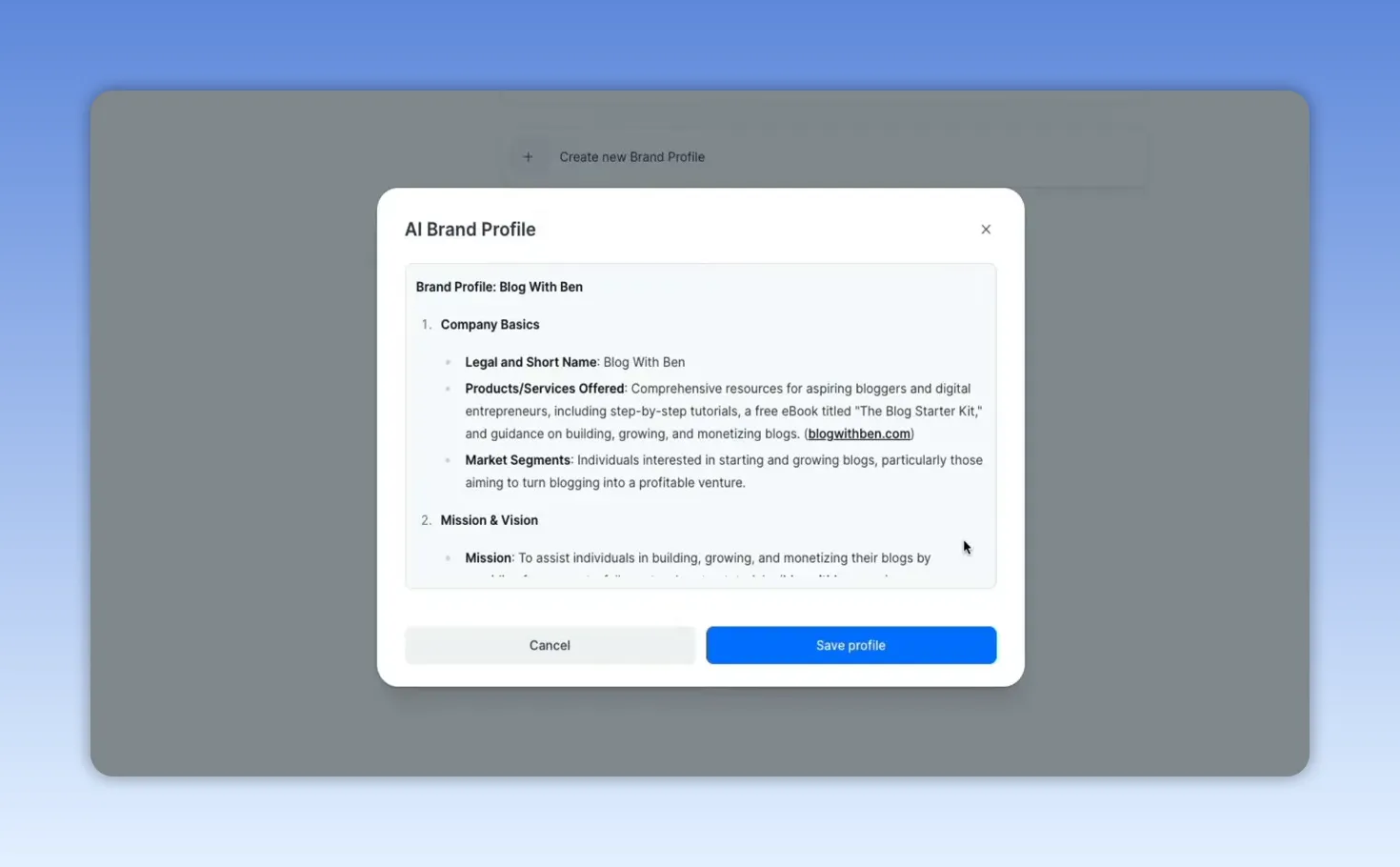
Why this matters: Every funnel generated afterward uses that profile so the copy sounds like your brand — not generic AI. You can edit and refine the profile at any time, so it adapts as your brand evolves.
Step 3: Pick a funnel template from the library
Perspective has a template library organized by outcome: grow email list, get appointments, recruit talent, and more. For a lead magnet funnel you can select a prebuilt template that includes value proposition, opt-in, personalization (qualifying question), and a thank-you/upsell page.
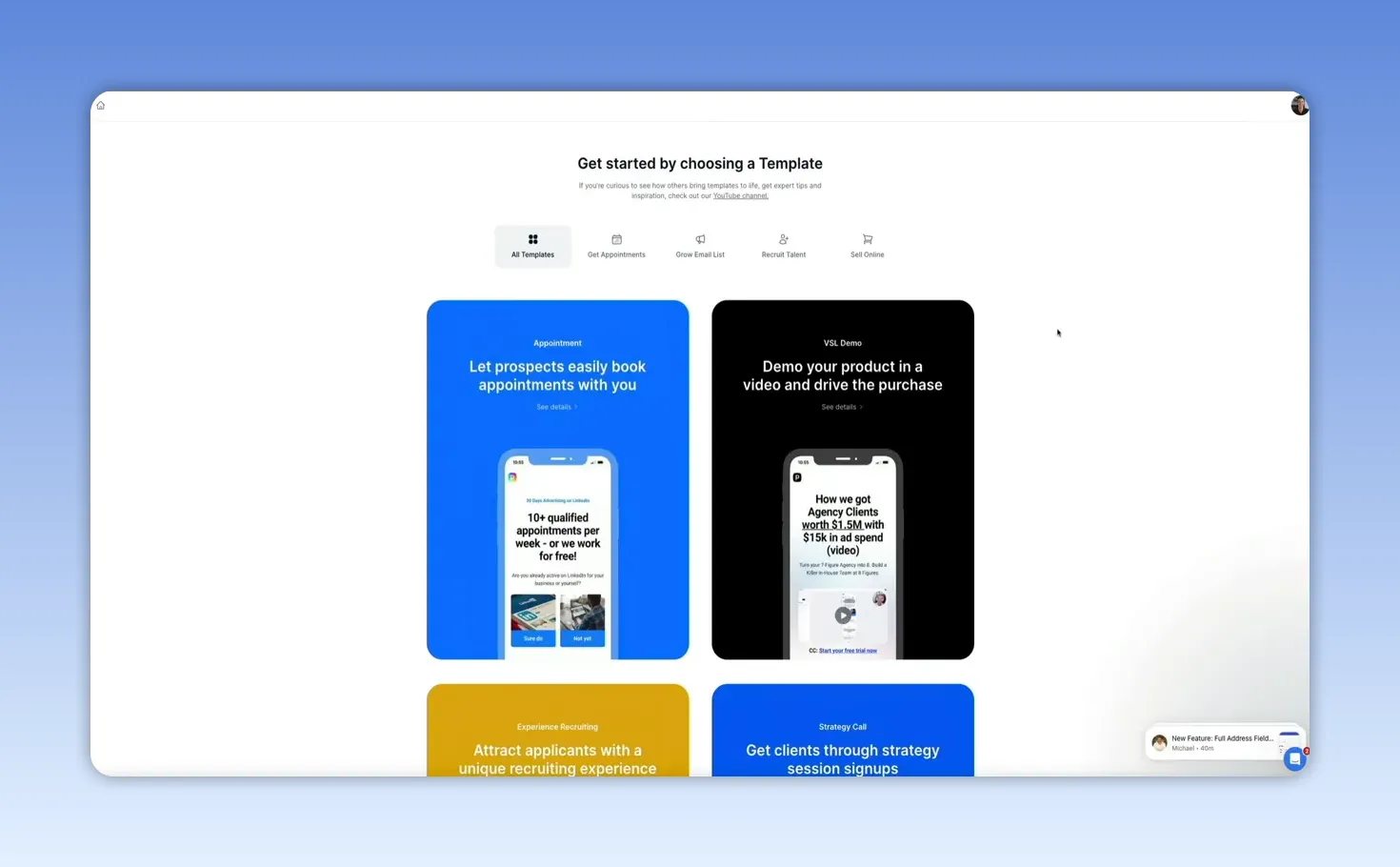
Each template shows details like page count, device responsiveness, GDPR readiness, and estimated setup time. Choose a template and click Personalize Template while selecting your AI Brand Profile to have the copy rewritten in your brand voice.
Step 4: Let Perspective generate your funnel and customize the editor
The generator writes text blocks, button copy, section headings, and even testimonial placements in real time. Within about a minute you’re dropped into a drag-and-drop editor with a fully personalized funnel.
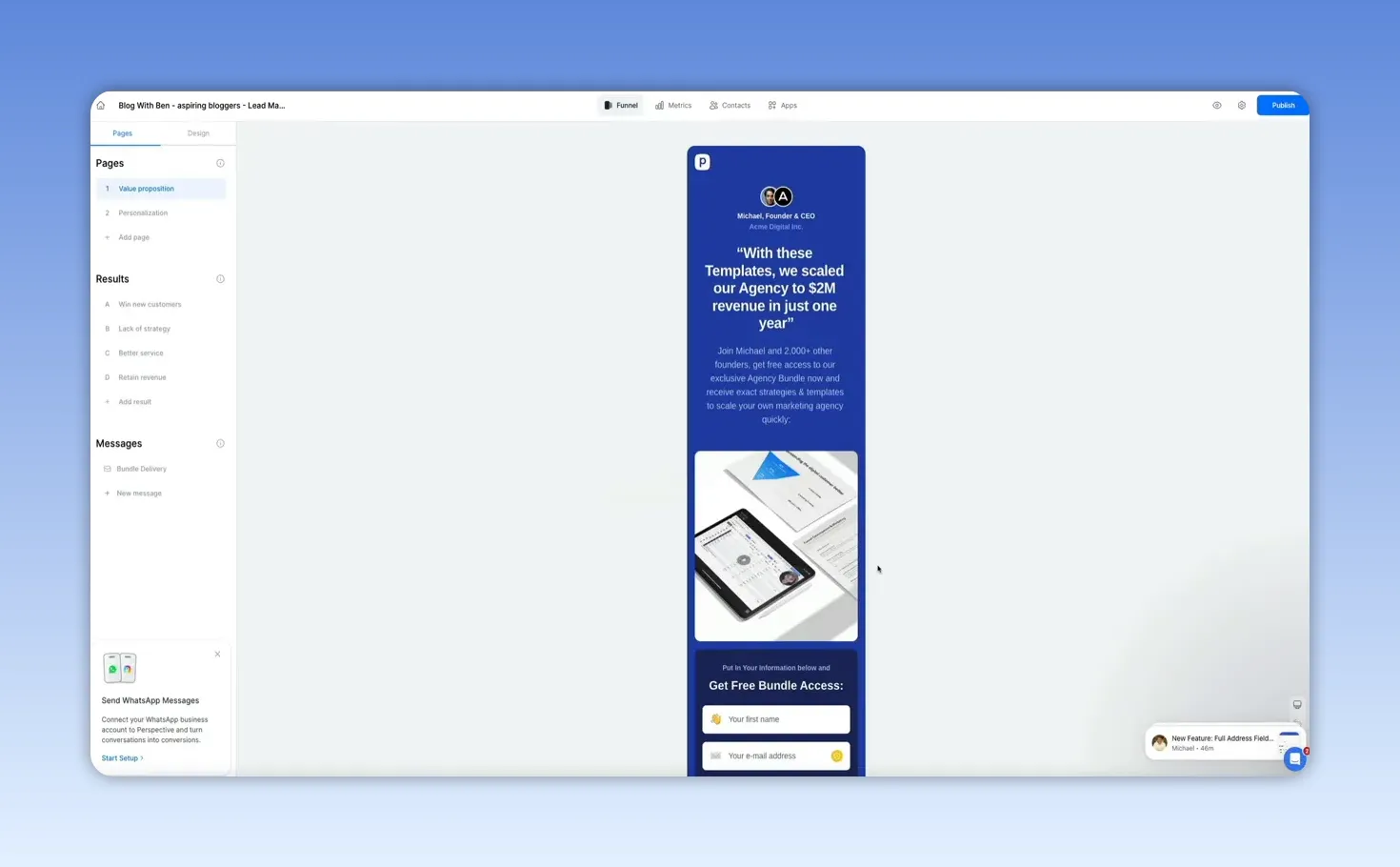
You can edit any element visually — swap logos, add headshots, update the lead magnet image, change CTAs, and adjust text. Everything updates live, and the structure and copy are already optimized for conversion so you’re only adding finishing touches.
Step 5: Add personalization with qualifying questions and tailored result pages
One of the high-impact elements in a funnel is relevance. The lead magnet template includes a personalization step that asks a qualifying question like “What is your biggest challenge?” Each answer maps to its own result page with tailored copy and a specific call to action.
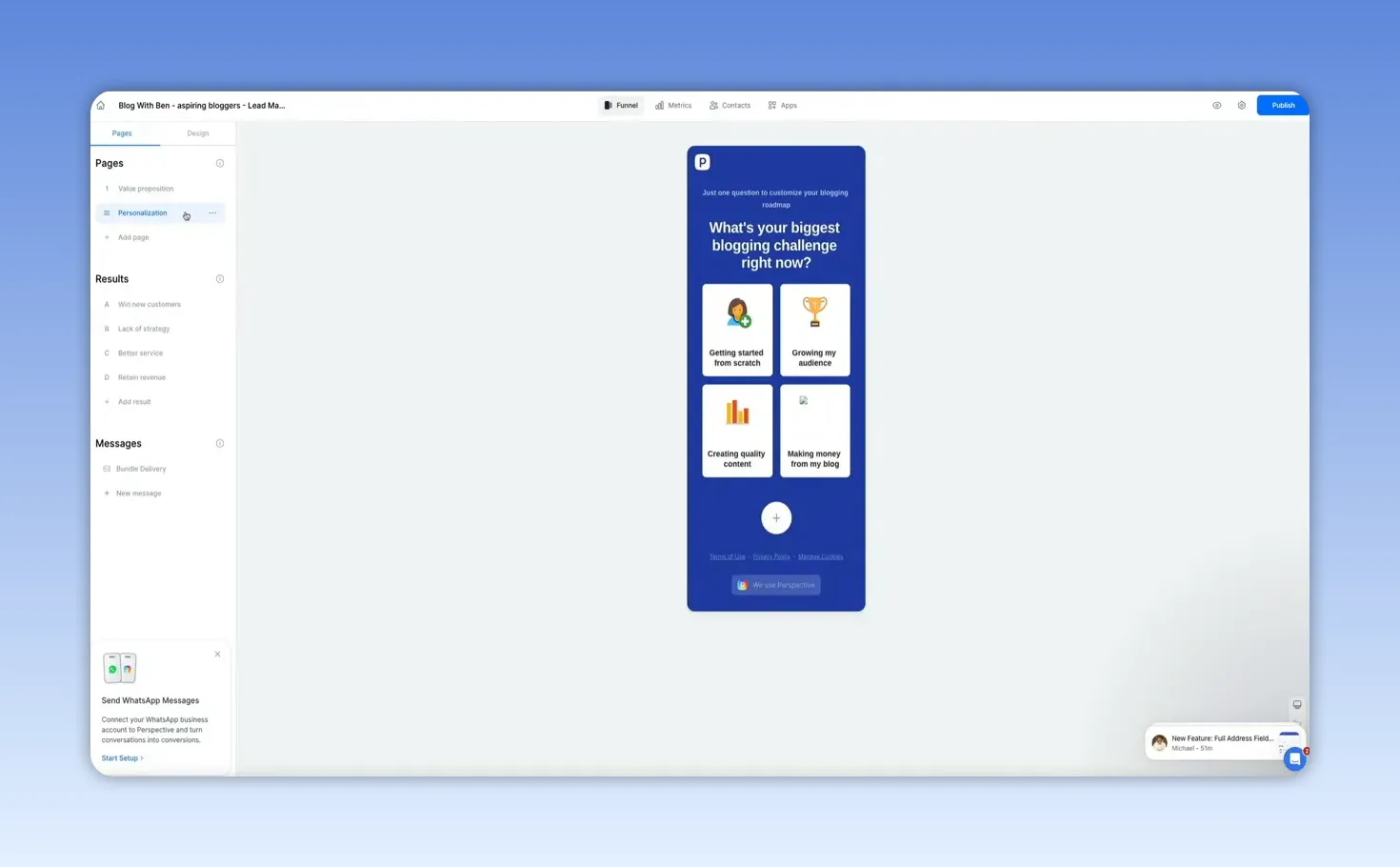
Why personalization converts: Tailored follow-ups feel more relevant to leads, improving engagement and increasing the chance of conversion on secondary offers such as trainings or paid products.
Step 6: Wire up email delivery and automation inside Perspective Funnels
Perspective includes built-in email automation. When someone opts in, a trigger fires and sends your lead magnet immediately. The platform stores contacts natively, so you can manage leads and sequences without connecting a third-party ESP — though integrations are available if you prefer.
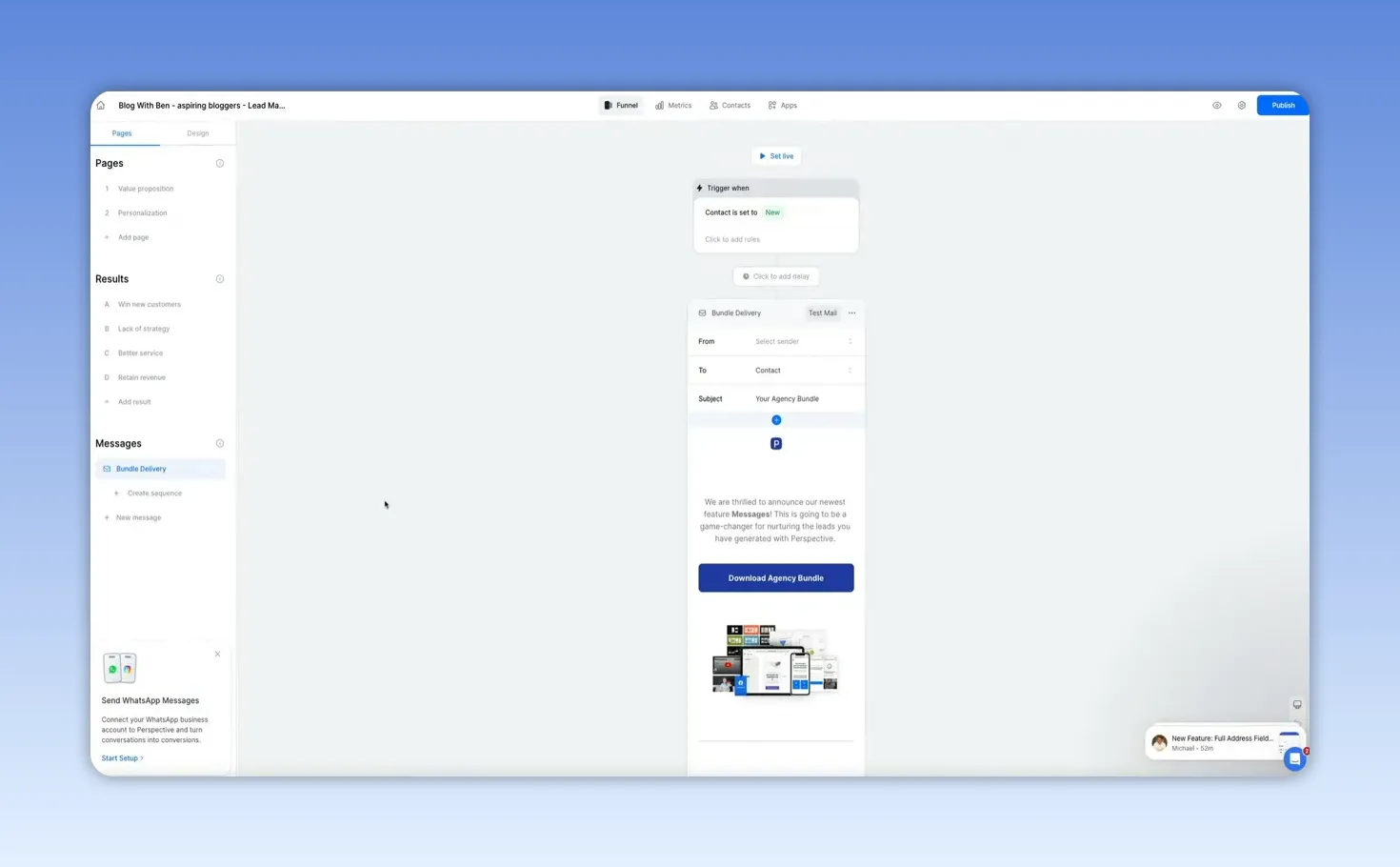
The bundled delivery message includes the download CTA, images, and even a secondary offer inside the email. You can add delays, segmentation rules, and additional messages to build a full nurture sequence without leaving the platform.
Step 7: Apply design themes and brand-wide styles in one click
Design is simple: apply a theme or create a custom color scheme that gets applied across every block. You can change the entire funnel instantly or only modify uncustomized blocks. Everything is drag-and-drop and built mobile-first so you don’t have to babysit mobile layouts.
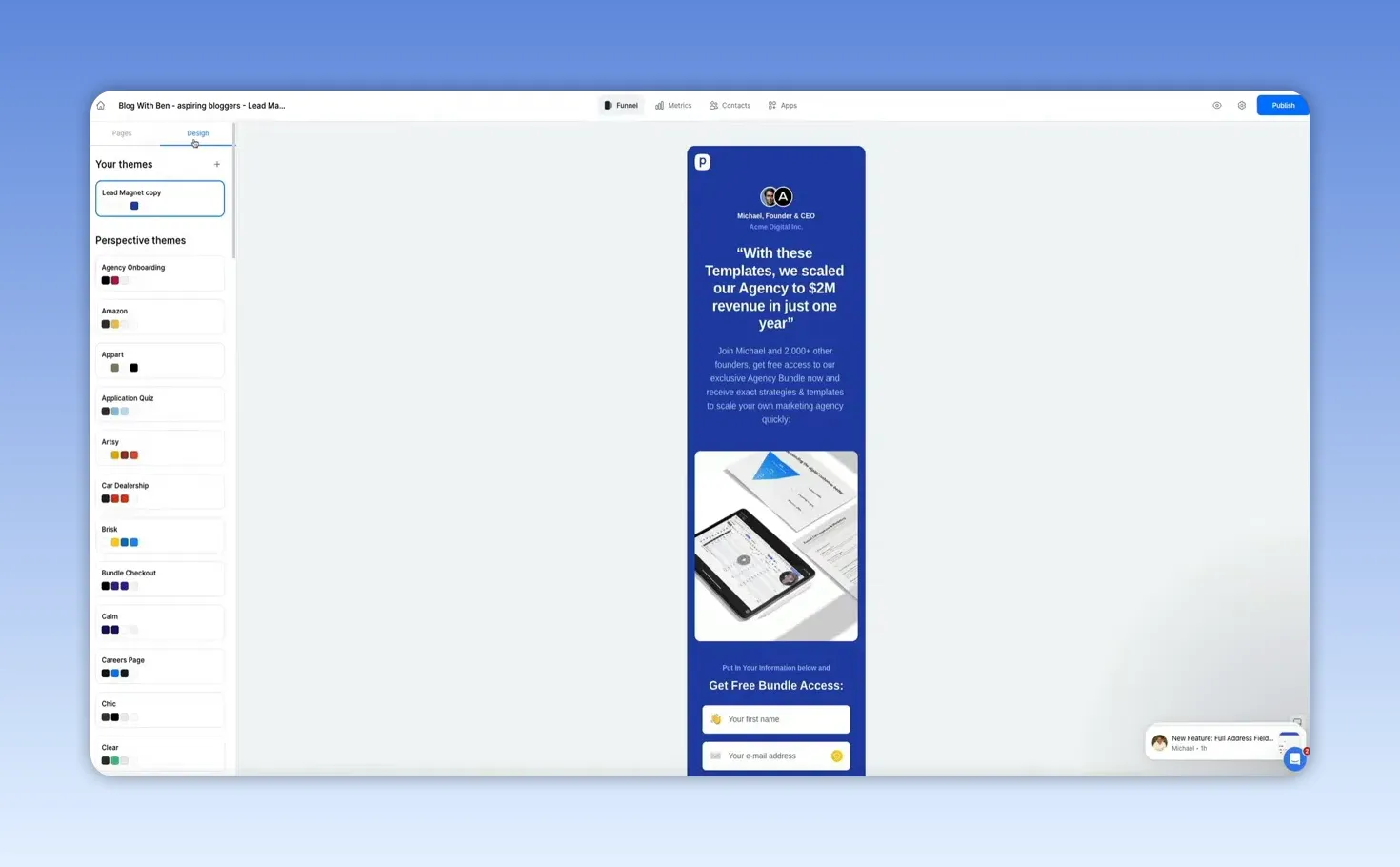
Mobile-first matters: Most traffic is mobile. Perspective builds responsive funnels out of the box so layouts and interactions are optimized for phones without extra tweaks.
Step 8: Publish the funnel and connect your domain
Publishing is one click. Perspective provides a hosted URL immediately. If you want a cleaner URL you can customize the link or connect your own domain. You’ll also get a QR code for easy sharing and promotion.
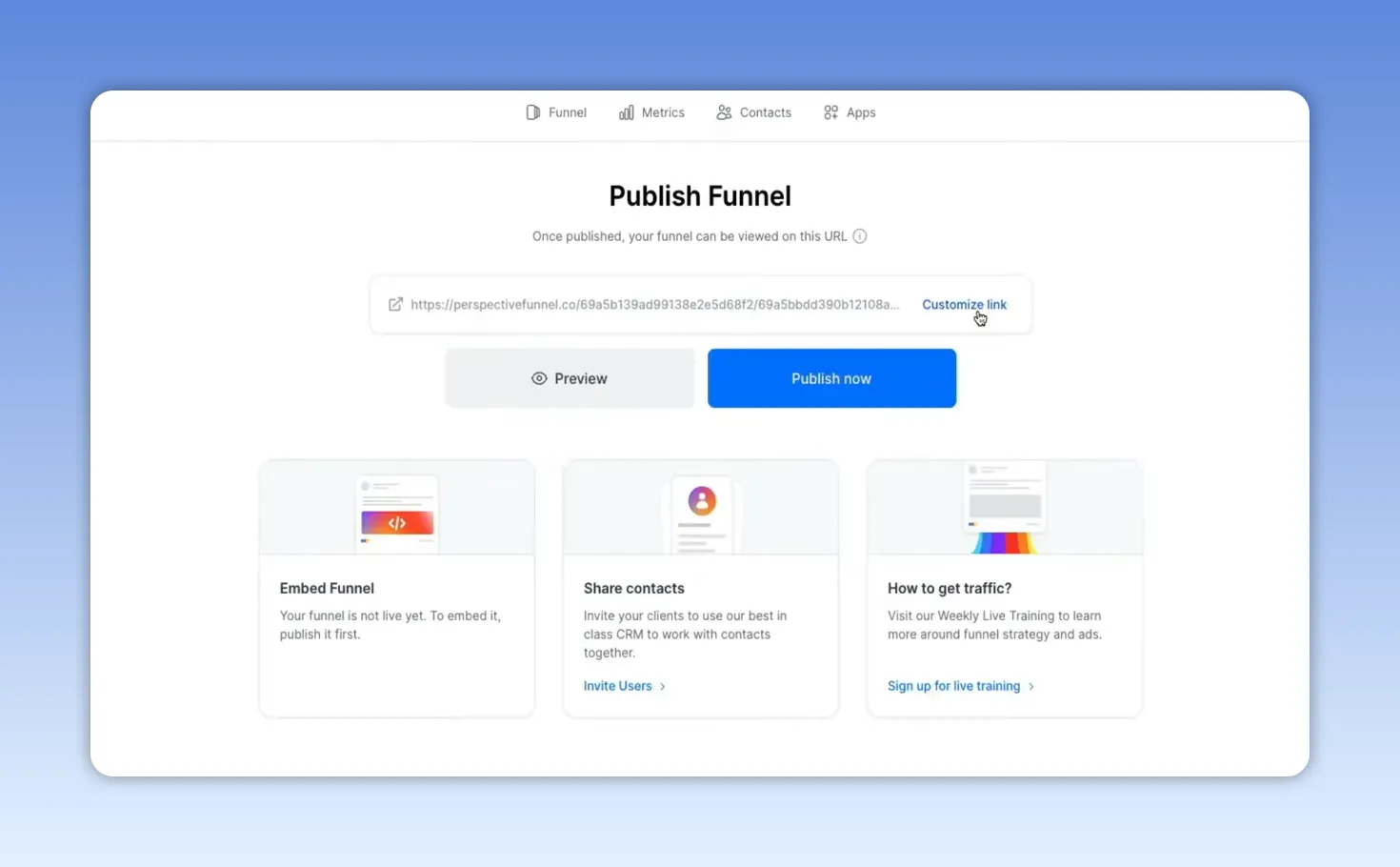
After publishing, don’t forget to set the email delivery automation live so new subscribers receive the lead magnet automatically.
Step 9: Test the funnel end to end
Run through the funnel as a new visitor: opt in, answer the personalization question, view the tailored result page, and confirm the delivery email. Everything should work from opt-in to download — images, CTAs, and the PDF download.
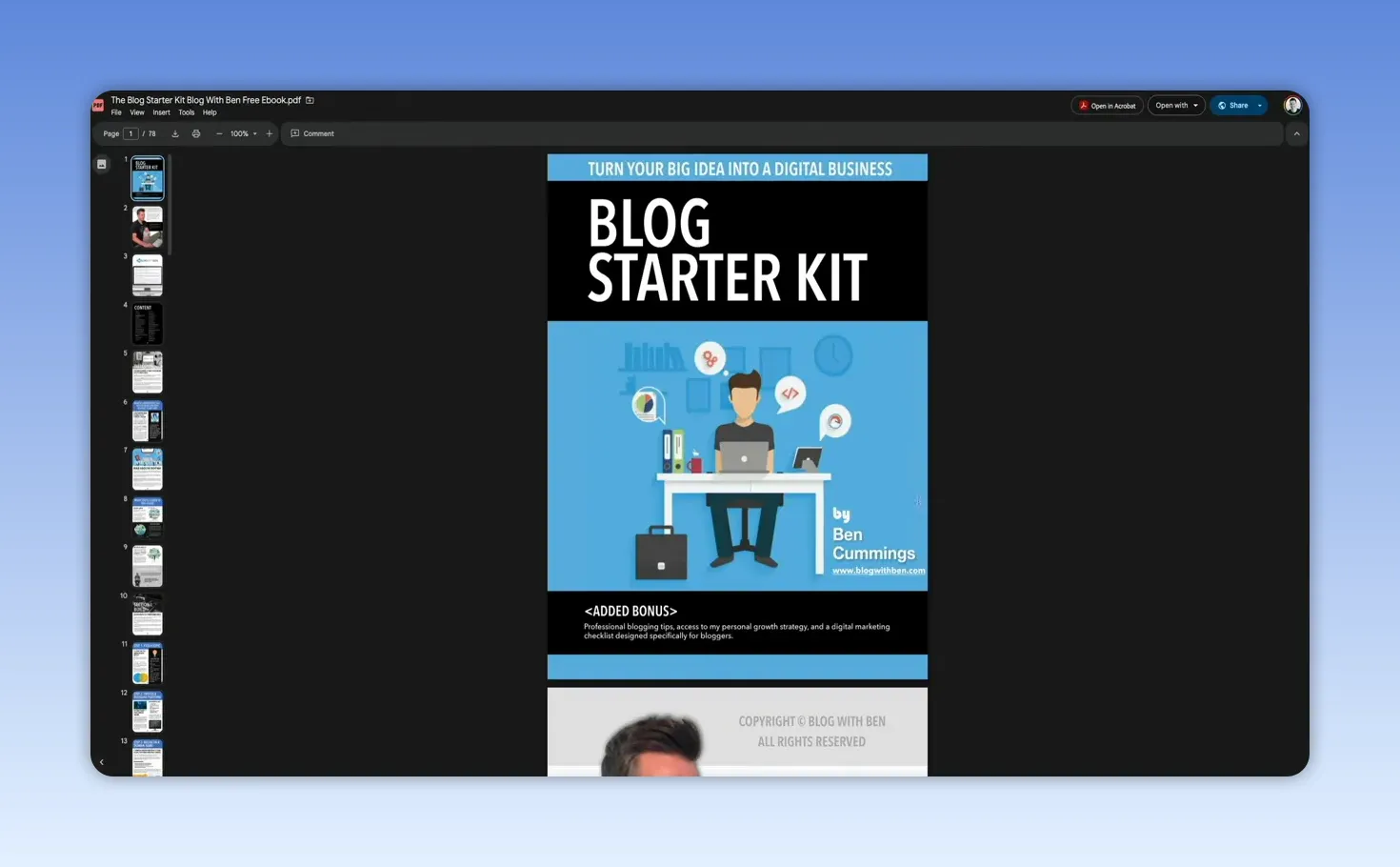
Testing end to end ensures the conversion flow, the email delivery, and any secondary offers are functioning correctly before you start sending traffic.
Final thoughts and quick checklist
Perspective Funnels dramatically speeds up funnel creation while keeping conversion strategy and brand voice front and center. Instead of rebuilding the same structure and wiring every tool manually, you start from a ready-to-publish, brand-personalized funnel and spend your time optimizing offers and traffic.
Quick checklist before you launch:
- AI Brand Profile — Confirm audience and brand voice are accurate.
- Template — Choose a funnel template that matches your conversion goal.
- Personalization — Map qualifying answers to relevant result pages.
- Email Automation — Activate delivery and test the download link.
- Design — Apply brand theme and verify mobile layout.
- Publish — Set live URL, connect domain if needed, and re-test.
If you try Perspective Funnels, focus first on the AI Brand Profile and the personalization step — they’re the two biggest levers for improving lead quality and conversion. Good funnels convert because they’re relevant, mobile-friendly, and consistent with your brand voice. Perspective wraps all three together so you can focus on offers and traffic instead of technical glue.
Try Perspective Today! |
|
Build funnels that convert fast! |
| Get Started |
Most AI page builders give you something that looks like a page. What they rarely give you is a funnel that actually converts. I spent years building landing pages, opt-in forms, thank you pages, and email automations by hand on WordPress. It worked, but each new funnel meant hours of setup, several plugins, and juggling email tools.
Perspective Funnels (affiliate link) changes that workflow. It learns your brand, generates a full multi-page funnel built around conversion psychology, and gives you email delivery and contact management all in one place. Below I walk through the exact step-by-step process I use to go from blank idea to a live, mobile-first funnel that delivers a lead magnet.
Step 1: Understand the problem — pretty pages don’t equal conversions
Most AI tools output decent-looking pages but miss the conversion fundamentals: brand voice, relevant messaging, mobile-first layout, and a tested funnel flow. Perspective Funnels approaches the problem differently by building entire funnels with conversion psychology baked in, not just isolated pages.
Step 2: Create an AI Brand Profile (this is the game changer)
Perspective Funnels starts by learning your brand. The AI Brand Profile captures your brand voice, tone, audience, positioning, products, and customer personas automatically from a URL or brand name. Instead of writing a lengthy brand doc, you give it a URL and a short description of your target audience and it builds a full profile in seconds.
Why this matters: Every funnel generated afterward uses that profile so the copy sounds like your brand — not generic AI. You can edit and refine the profile at any time, so it adapts as your brand evolves.
Step 3: Pick a funnel template from the library
Perspective has a template library organized by outcome: grow email list, get appointments, recruit talent, and more. For a lead magnet funnel you can select a prebuilt template that includes value proposition, opt-in, personalization (qualifying question), and a thank-you/upsell page.
Each template shows details like page count, device responsiveness, GDPR readiness, and estimated setup time. Choose a template and click Personalize Template while selecting your AI Brand Profile to have the copy rewritten in your brand voice.
Step 4: Let Perspective generate your funnel and customize the editor
The generator writes text blocks, button copy, section headings, and even testimonial placements in real time. Within about a minute you’re dropped into a drag-and-drop editor with a fully personalized funnel.
You can edit any element visually — swap logos, add headshots, update the lead magnet image, change CTAs, and adjust text. Everything updates live, and the structure and copy are already optimized for conversion so you’re only adding finishing touches.
Step 5: Add personalization with qualifying questions and tailored result pages
One of the high-impact elements in a funnel is relevance. The lead magnet template includes a personalization step that asks a qualifying question like “What is your biggest challenge?” Each answer maps to its own result page with tailored copy and a specific call to action.
Why personalization converts: Tailored follow-ups feel more relevant to leads, improving engagement and increasing the chance of conversion on secondary offers such as trainings or paid products.
Step 6: Wire up email delivery and automation inside Perspective Funnels
Perspective includes built-in email automation. When someone opts in, a trigger fires and sends your lead magnet immediately. The platform stores contacts natively, so you can manage leads and sequences without connecting a third-party ESP — though integrations are available if you prefer.
The bundled delivery message includes the download CTA, images, and even a secondary offer inside the email. You can add delays, segmentation rules, and additional messages to build a full nurture sequence without leaving the platform.
Step 7: Apply design themes and brand-wide styles in one click
Design is simple: apply a theme or create a custom color scheme that gets applied across every block. You can change the entire funnel instantly or only modify uncustomized blocks. Everything is drag-and-drop and built mobile-first so you don’t have to babysit mobile layouts.
Mobile-first matters: Most traffic is mobile. Perspective builds responsive funnels out of the box so layouts and interactions are optimized for phones without extra tweaks.
Step 8: Publish the funnel and connect your domain
Publishing is one click. Perspective provides a hosted URL immediately. If you want a cleaner URL you can customize the link or connect your own domain. You’ll also get a QR code for easy sharing and promotion.
After publishing, don’t forget to set the email delivery automation live so new subscribers receive the lead magnet automatically.
Step 9: Test the funnel end to end
Run through the funnel as a new visitor: opt in, answer the personalization question, view the tailored result page, and confirm the delivery email. Everything should work from opt-in to download — images, CTAs, and the PDF download.
Testing end to end ensures the conversion flow, the email delivery, and any secondary offers are functioning correctly before you start sending traffic.
Final thoughts and quick checklist
Perspective Funnels dramatically speeds up funnel creation while keeping conversion strategy and brand voice front and center. Instead of rebuilding the same structure and wiring every tool manually, you start from a ready-to-publish, brand-personalized funnel and spend your time optimizing offers and traffic.
Quick checklist before you launch:
- AI Brand Profile — Confirm audience and brand voice are accurate.
- Template — Choose a funnel template that matches your conversion goal.
- Personalization — Map qualifying answers to relevant result pages.
- Email Automation — Activate delivery and test the download link.
- Design — Apply brand theme and verify mobile layout.
- Publish — Set live URL, connect domain if needed, and re-test.
If you try Perspective Funnels, focus first on the AI Brand Profile and the personalization step — they’re the two biggest levers for improving lead quality and conversion. Good funnels convert because they’re relevant, mobile-friendly, and consistent with your brand voice. Perspective wraps all three together so you can focus on offers and traffic instead of technical glue.
Try Perspective Today! |
|
Build funnels that convert fast! |
| Get Started |

Written by Ben Cummings
Founder of blogwithben.com
Ben is the Co-Founder of Sage Wave Media, LLC which is the parent company of Blog With Ben. He enjoys teaching, blogging, startups, a hoppy IPA, and college basketball. Whenever he's not blogging, you can find him cruising around sunny San Diego with his amazing family.
0 Comments