
Unlock Free AI & Tech Certificates with SkillUp (Simplilearn)
Unlock Free AI & Tech Certificates with SkillUp (Simplilearn)
Technology is changing faster than ever. AI, cloud, and cybersecurity are reshaping jobs and expectations. If you want to stay competitive without spending a fortune, SkillUp by Simplilearn is one of the simplest ways to start building job‑ready skills. It offers a library of self‑paced courses across high‑demand fields, plus certificates you can share with employers.
What SkillUp actually is
SkillUp is a free learning initiative from Simplilearn that focuses on short, practical courses in areas like AI, generative AI, data science, cybersecurity, cloud computing, digital marketing, and project management. The platform is designed to be accessible: you can start learning immediately and complete lessons at your own pace without a subscription or entering payment details.
The first three courses are 100% free.
Courses are created by industry practitioners, and many lessons include partner content from major providers such as Google, Microsoft, AWS, and Databricks.
Who SkillUp is for
- Students and beginners who want a practical foundation
- Developers and engineers looking to explore adjacent skills
- Creators, freelancers, and entrepreneurs who need analytics, marketing, or automation basics
- Managers and executives wanting a working knowledge of AI or cloud tools
Browse the course library
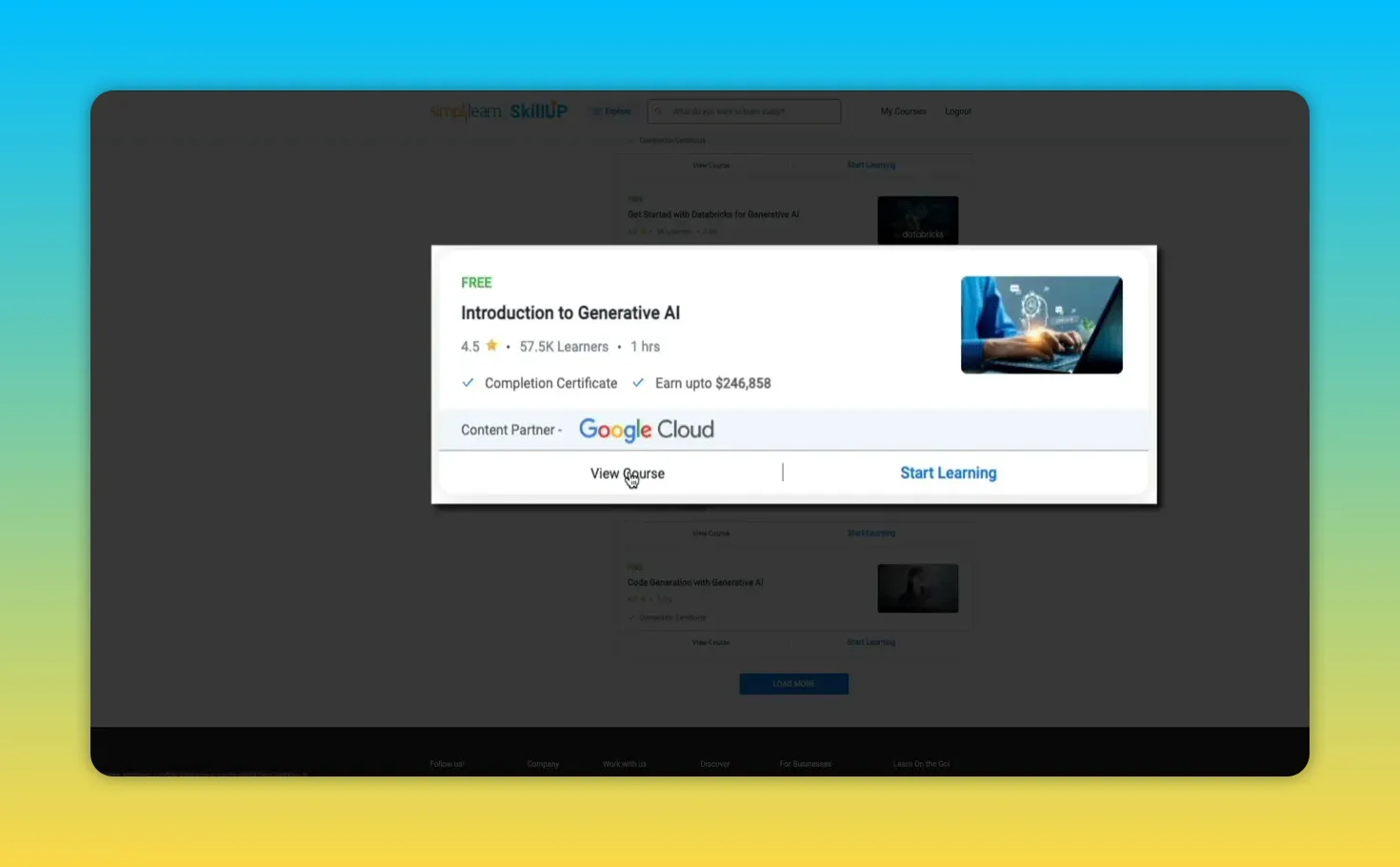
The catalog is organized into clear categories so you can quickly find what matches your goals. Each course card shows estimated time, learner rating, number of learners, and whether a completion certificate is included.
Categories include:
- AI and machine learning
- Generative AI
- Data science
- Cyber security
- Cloud computing
- Digital marketing
- Project management
Example course: Introduction to Generative AI Studio
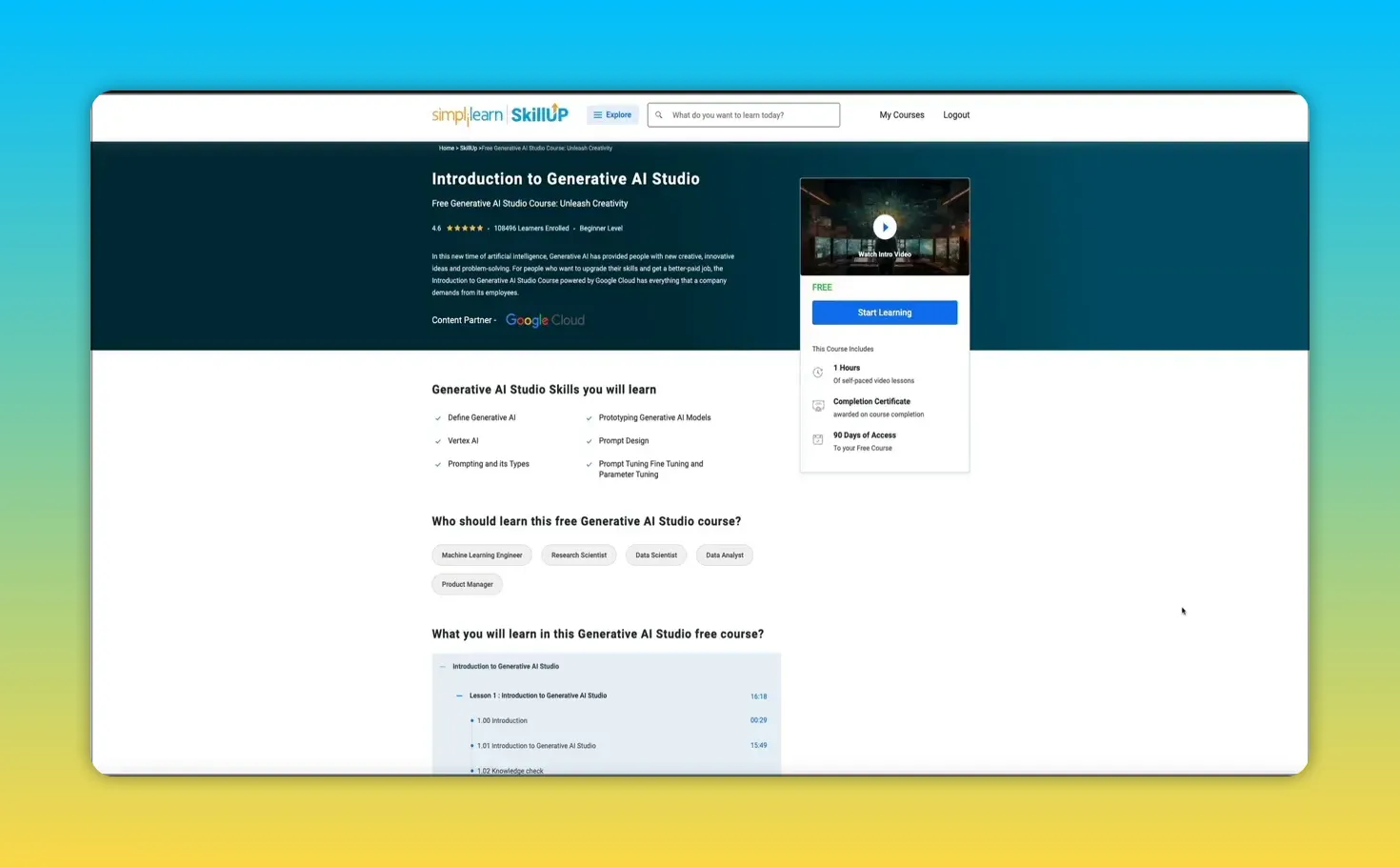
This beginner course (built in partnership with Google Cloud) covers core generative AI concepts, prompting strategies, Vertex AI basics, and prototyping generative models. It’s about an hour long, self‑paced, and grants a completion certificate. You also get a 90‑day access window to finish at your own pace.
Free features that add real value
- Live webinars on timely topics such as getting started with AI or career planning—many are free and have limited seats.
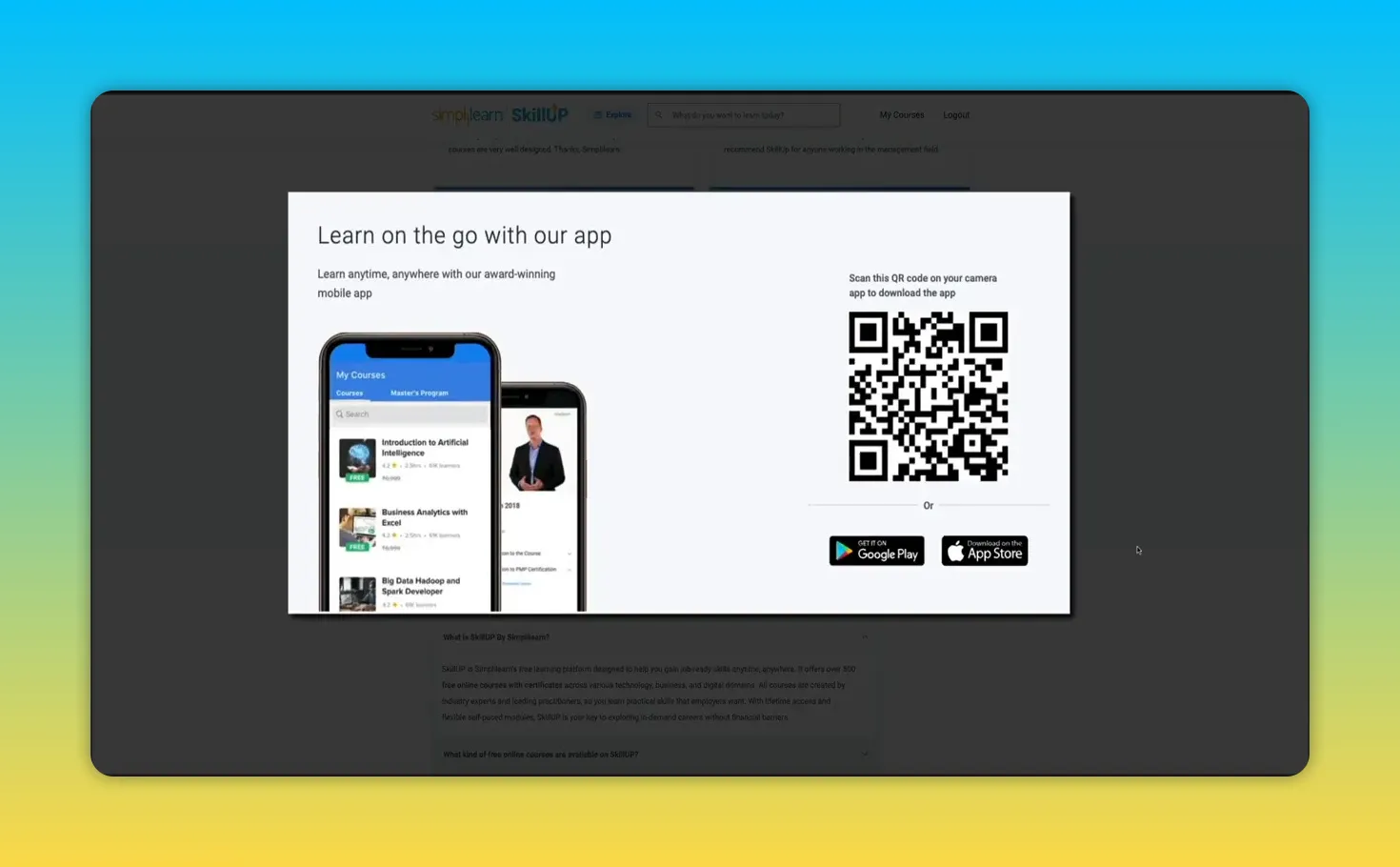
- Mobile app for learning on the go so you can continue courses from your phone.
- Career resources including roadmaps, salary guides, and interview preparation tips to help you plan the next step.
- Certificates you can download and add to your resume or LinkedIn profile to demonstrate learning commitment.
- Partner content from big cloud and data vendors so you learn tools that matter in the industry.
What the learning experience looks like
The course pages make it obvious what you’re getting: total course length, certificate availability, and access window. Enrollment is a single click, and the dashboard organizes everything you’re taking so you can jump right back in.
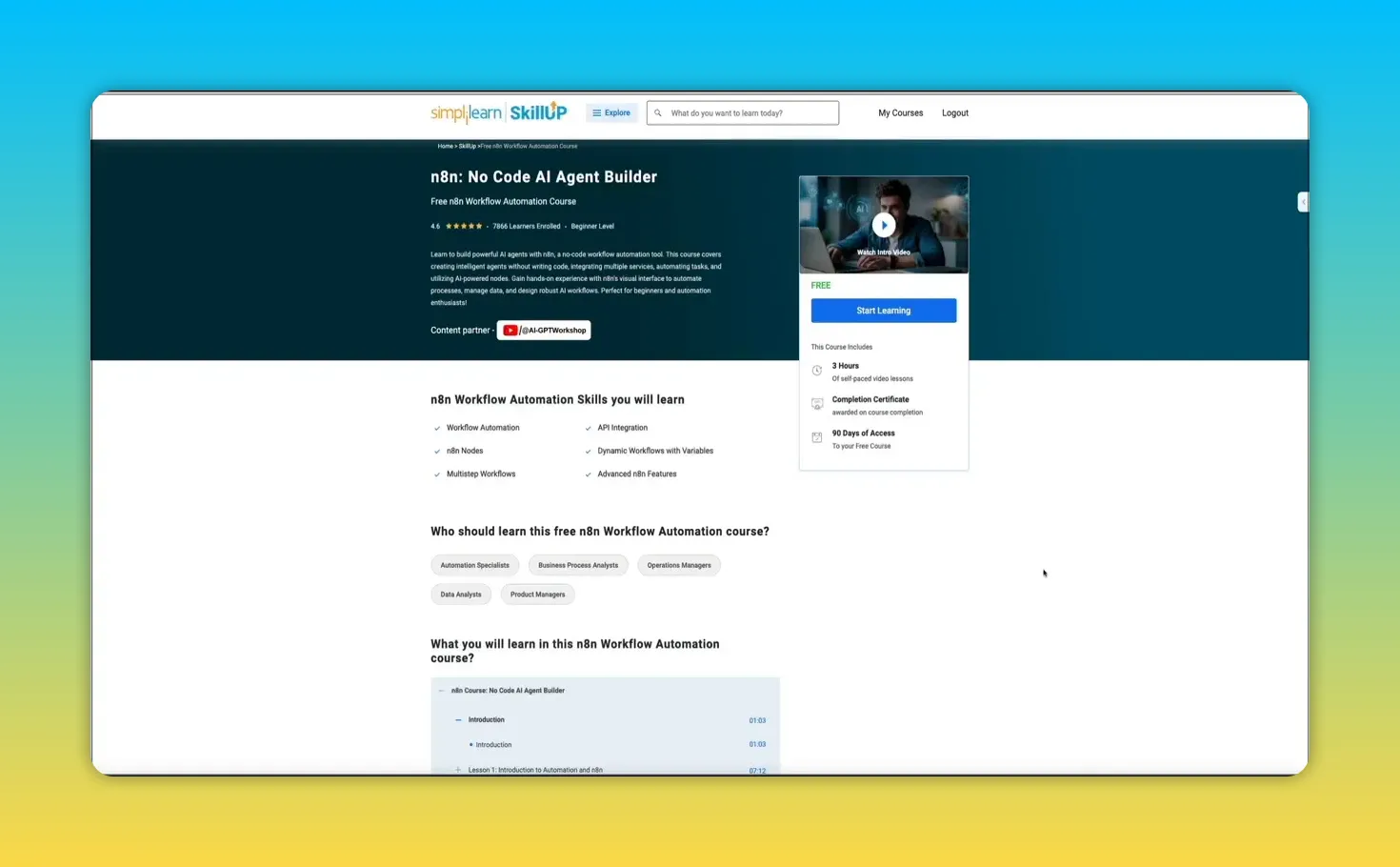
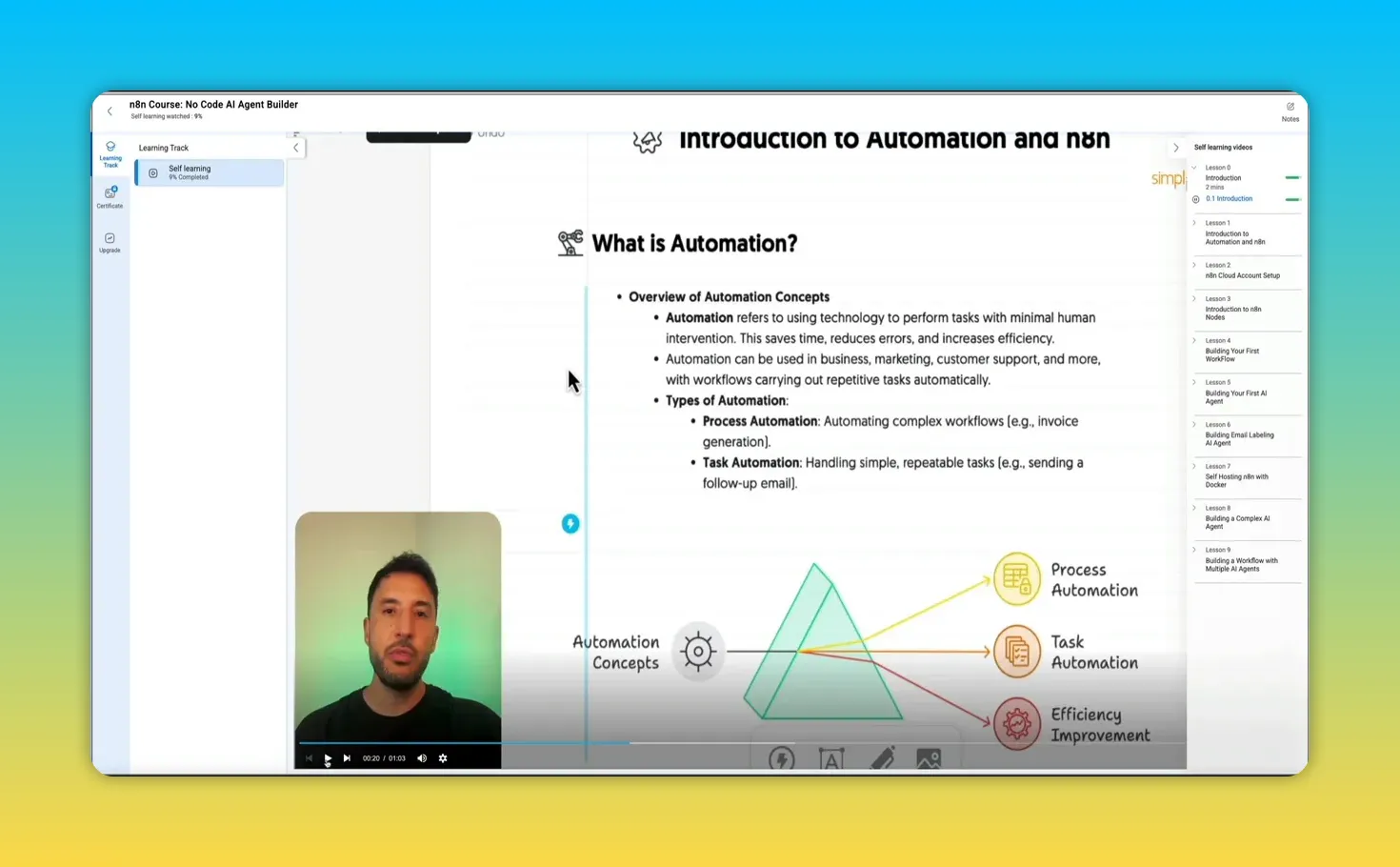
Inside the course player you’ll find a learning track panel that shows progress, a full lesson list, and a built‑in notes option so you can capture key points without leaving the interface.
Step‑by‑step: Getting started with a SkillUp course
- Go to the SkillUp course library and pick a category that matches your goal.
- Preview course details or click Start learning directly from the course card.
- After enrolling you’ll land in your dashboard under My learning, where courses are marked In progress or Yet to start.
- Click into lessons from the learning track, watch videos, and use the notes tool while you learn.
- When complete, download your SkillUp certificate and add it to your resume or LinkedIn.
Why SkillUp matters in 2025 and beyond
Employers expect continuous learning. AI and automation are changing the skills needed for many roles. SkillUp removes a common barrier—cost—so you can explore new fields, validate interest with short courses, and start building demonstrable skills without a big upfront investment.
Tips to get the most from free courses
- Choose a clear goal before you enroll—skill, role, or project.
- Follow a career roadmap and use the platform’s guides to plan your next steps.
- Take notes inside the player and revisit modules to reinforce learning.
- Attend webinars to learn from live experts and ask questions.
- Timebox your study—short daily sessions beat long, infrequent marathons.
- Share certificates on LinkedIn and include them on your resume to stand out.
Ready to start?
Explore the free course catalog, pick a course aligned with your goals, and begin building skills you can demonstrate with a certificate. If you try a course, note which one you chose and what you learned—sharing that helps others decide which path might work for them too.
Technology is changing faster than ever. AI, cloud, and cybersecurity are reshaping jobs and expectations. If you want to stay competitive without spending a fortune, SkillUp by Simplilearn is one of the simplest ways to start building job‑ready skills. It offers a library of self‑paced courses across high‑demand fields, plus certificates you can share with employers.
What SkillUp actually is
SkillUp is a free learning initiative from Simplilearn that focuses on short, practical courses in areas like AI, generative AI, data science, cybersecurity, cloud computing, digital marketing, and project management. The platform is designed to be accessible: you can start learning immediately and complete lessons at your own pace without a subscription or entering payment details.
The first three courses are 100% free.
Courses are created by industry practitioners, and many lessons include partner content from major providers such as Google, Microsoft, AWS, and Databricks.
Who SkillUp is for
- Students and beginners who want a practical foundation
- Developers and engineers looking to explore adjacent skills
- Creators, freelancers, and entrepreneurs who need analytics, marketing, or automation basics
- Managers and executives wanting a working knowledge of AI or cloud tools
Browse the course library
The catalog is organized into clear categories so you can quickly find what matches your goals. Each course card shows estimated time, learner rating, number of learners, and whether a completion certificate is included.
Categories include:
- AI and machine learning
- Generative AI
- Data science
- Cyber security
- Cloud computing
- Digital marketing
- Project management
Example course: Introduction to Generative AI Studio
This beginner course (built in partnership with Google Cloud) covers core generative AI concepts, prompting strategies, Vertex AI basics, and prototyping generative models. It’s about an hour long, self‑paced, and grants a completion certificate. You also get a 90‑day access window to finish at your own pace.
Free features that add real value
- Live webinars on timely topics such as getting started with AI or career planning—many are free and have limited seats.
- Mobile app for learning on the go so you can continue courses from your phone.
- Career resources including roadmaps, salary guides, and interview preparation tips to help you plan the next step.
- Certificates you can download and add to your resume or LinkedIn profile to demonstrate learning commitment.
- Partner content from big cloud and data vendors so you learn tools that matter in the industry.
What the learning experience looks like
The course pages make it obvious what you’re getting: total course length, certificate availability, and access window. Enrollment is a single click, and the dashboard organizes everything you’re taking so you can jump right back in.
Inside the course player you’ll find a learning track panel that shows progress, a full lesson list, and a built‑in notes option so you can capture key points without leaving the interface.
Step‑by‑step: Getting started with a SkillUp course
- Go to the SkillUp course library and pick a category that matches your goal.
- Preview course details or click Start learning directly from the course card.
- After enrolling you’ll land in your dashboard under My learning, where courses are marked In progress or Yet to start.
- Click into lessons from the learning track, watch videos, and use the notes tool while you learn.
- When complete, download your SkillUp certificate and add it to your resume or LinkedIn.
Why SkillUp matters in 2025 and beyond
Employers expect continuous learning. AI and automation are changing the skills needed for many roles. SkillUp removes a common barrier—cost—so you can explore new fields, validate interest with short courses, and start building demonstrable skills without a big upfront investment.
Tips to get the most from free courses
- Choose a clear goal before you enroll—skill, role, or project.
- Follow a career roadmap and use the platform’s guides to plan your next steps.
- Take notes inside the player and revisit modules to reinforce learning.
- Attend webinars to learn from live experts and ask questions.
- Timebox your study—short daily sessions beat long, infrequent marathons.
- Share certificates on LinkedIn and include them on your resume to stand out.
Ready to start?
Explore the free course catalog, pick a course aligned with your goals, and begin building skills you can demonstrate with a certificate. If you try a course, note which one you chose and what you learned—sharing that helps others decide which path might work for them too.

Written by Ben Cummings
Founder of blogwithben.com
Ben is the Co-Founder of Sage Wave Media, LLC which is the parent company of Blog With Ben. He enjoys teaching, blogging, startups, a hoppy IPA, and college basketball. Whenever he's not blogging, you can find him cruising around sunny San Diego with his amazing family.
0 Comments